Let’s be brutally honest for a second: most "Top AI Tools" listicles are garbage. They’re written by people who have never debugged a race condition at 2 a.m. or refactored a legacy monolith. They hype the marketing fluff without feeling the pain of an AI assistant confidently hallucinating a library that doesn’t exist.
I’m not going to do that to you.
I’ve spent the last year integrating AI deeply into my development workflow, not for YouTube demos, but to ship real, production-grade software. Some tools feel like a senior pair programmer whispering advice in your ear. Others feel like an overly confident intern who needs constant supervision.
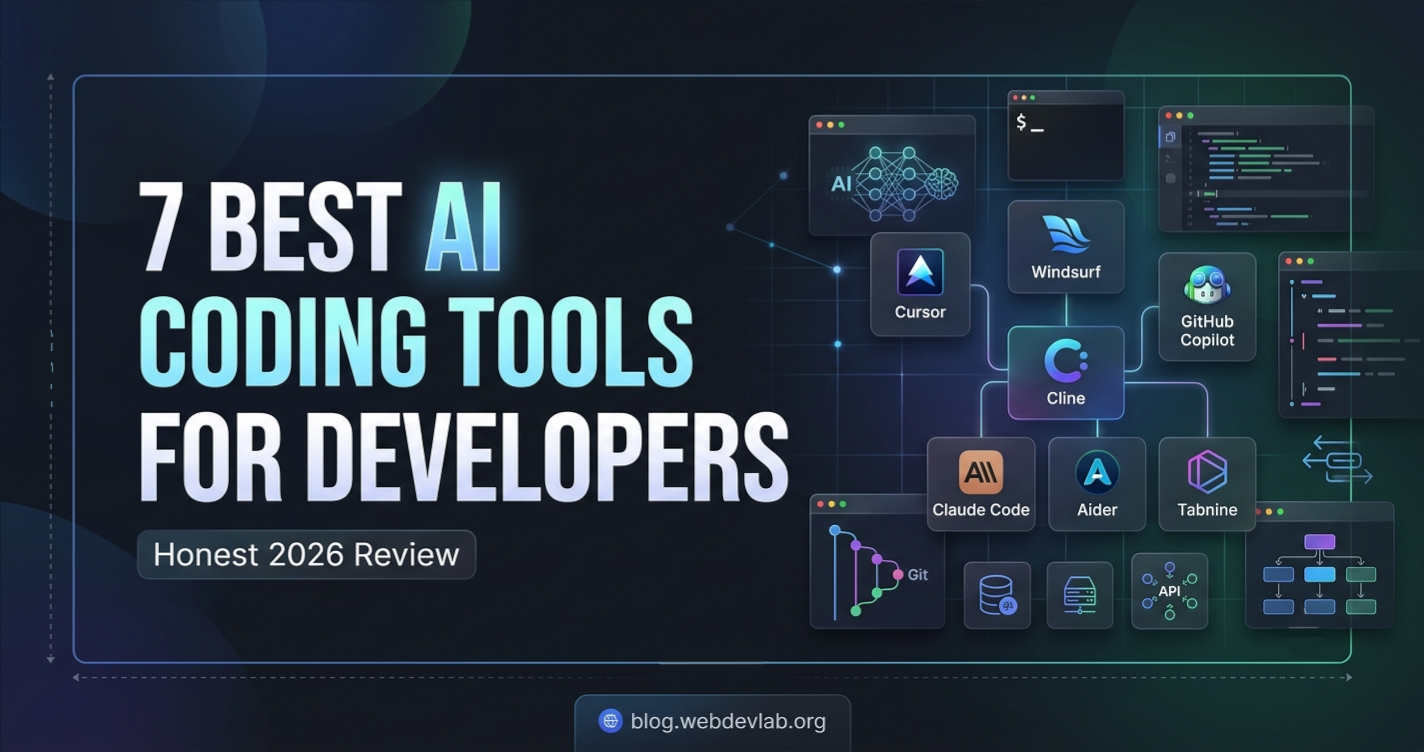
Forget the hype cycle. Here is the ground truth on the 7 AI coding tools that are actually changing how we work, who they're for, and where they fall flat on their face.
The Modern AI Coding Stack: Why We’ve Moved Beyond Autocomplete
Before we dive in, we need to define the spectrum. The market has split into three distinct categories:
The Autocomplete Engines: They live inside your existing IDE, predicting the next token.
The Conversational Coders (Agentic AI): They operate in a chat sidebar or a terminal, capable of generating entire files, running shell commands, and iterating on errors.
The AI-First IDEs: The nuclear option. These aren’t just editors with plugins; they’ve rebuilt the editing experience from scratch, collapsing the distance between prompt and code execution.
We’ll cover the best (and worst) of all three.
The Tools: A Deep Dive
1. Cursor: The VSCode Fork That Makes You Forget Copilot
Overview
Cursor is a fork of Visual Studio Code that has aggressively integrated AI into the core editor, not just as a sidebar chat. Its killer feature is the "Tab" model, it doesn't just autocomplete lines; it predicts your next logical code change, jumping across multiple lines and files. It predicts where your cursor should go next.
Best For
Experienced developers who want a frictionless, high-velocity coding experience without abandoning the VSCode ecosystem. Full-stack developers who juggle multiple files simultaneously.
Key Features
Cursor Tab: This is the magic. It’s a speculative edit, not just text generation. If you change a function parameter, Cursor often suggests the corresponding change in the calling function automatically.
Inline Edit (
Cmd+K): Highlight code and ask it to refactor in place. No chat sidebar required. "Add error handling for null values" while staying in the flow state.Agent Mode: Cursor can search your codebase, read files, and run terminal commands to debug on its own. It asks for permission before executing destructive commands.
Real-World Use Cases
I recently watched a developer literally "Tab" their way through writing boilerplate Redux logic. They wrote the reducer name, hit Tab, and Cursor hallucinated the matching actions, selectors, and immutable update logic in seconds. It was 90% correct, saving them minutes of mechanical typing.
Pros
Unmatched predictive editing (the cursor movement prediction feels psychic).
It’s just VSCode; your themes, keybindings, and extensions work immediately.
Excellent
.cursorrulesconfiguration to provide project-wide context (e.g., "We use Zod for validation, not Yup").Very fast iteration speed; doesn't break your flow state.
Cons
It’s proprietary and forks VSCode; it usually lags a few days behind VSCode updates.
Aggressive autocomplete can be distracting if you’re in "thinking mode" rather than "typing mode."
Privacy-concerned users will note it requires a login and processes code remotely (Privacy Mode is available, but zero-data retention is a business-tier feature).
Honest Review
Cursor isn't just a Copilot clone; it’s a fundamental UX upgrade. The "Tab" feature makes Copilot’s ghost text feel archaic. However, the model sometimes fights you. If you want to write a quick-and-dirty script, it suggests over-engineered enterprise patterns. You must be firm with your Cmd+Z key.
Recommendation: Recommended (Highly recommended for mid-to-senior engineers who type fast and refactor aggressively).
Pricing
Free (Hobby) tier available with limited premium model usage.
Pro plan is $20/month. Business plans available.
2. Windsurf (by Codeium): The "Flow" State Champion
Overview
Windsurf enters the ring as another AI-first fork of VSCode, built by Codeium. While Cursor focuses on tab-to-tab editing, Windsurf focuses on "Cascade", a deep integration of agentic reasoning where the AI sees your recent changes and current codebase context seamlessly.
Best For
Developers who prefer a chat-heavy, collaborative dynamic but want the agent to handle multi-step refactors automatically. Free-tier power users.
Key Features
Cascade: Combines deep codebase awareness with a conversational interface. You can say, "Add a rate limiter to the login endpoint," and it finds the file, understands the existing middleware, and integrates the change correctly.
Multi-file Edit: It handles sweeping architectural changes (e.g., "rename this prop across the entire monorepo") with high reliability.
Supercomplete: More sophisticated than simple autocomplete; it sometimes suggests entire function bodies even before you write the signature.
Real-World Use Cases
I use Windsurf for "exploratory refactoring." If I’m looking at a messy useEffect and I’m not sure how to clean it up, I let Cascade analyze the state dependencies and propose a custom hook. It often spots stale closures I might miss.
Pros
The free plan is ridiculously generous, making it accessible to students and freelancers globally.
Cascade doesn’t just spit out code; it often explains the why behind the architectural change it’s making.
Maintains context better than many competitors in long chat sessions.
Cons
Being a fork of VSCode, it faces the same update latency issues as Cursor.
The UI can feel slightly cluttered when Cascade is in full "autonomous mode."
The predictive accuracy on niche legacy frameworks (like old PHP versions) isn't as sharp as on mainstream stacks.
Honest Review
Windsurf feels like Cursor’s more analytical sibling. Cursor is all about speed and raw prediction; Windsurf is about correctness and deep reasoning. If you prefer asking the AI to do multi-step work rather than tabbing through single lines, Windsurf is superior. It feels less like an electric bike and more like a self-driving car you need to supervise.
Recommendation: Recommended with reservations (The only reservation is that the "flow" state can lead you to accept logic you haven't fully vetted. Stay skeptical).
Pricing
Free: Unlimited completions and basic chat.
Pro: $15/month for premium model access and advanced features.
3. GitHub Copilot: The Industry Standard (and Its Limitations)
Overview
The granddaddy that started the gold rush. Copilot is tightly integrated into VSCode, JetBrains, and Neovim. It’s an autocomplete engine that suggests code as you type.
Best For
Enterprise teams who need SOC 2 compliance, zero-data-retention guarantees (via Business/Enterprise plans), and broad IDE support. Beginners learning syntax.
Key Features
Ghost Text: The classic inline suggestion fading in and out. It’s lowest latency is still best-in-class.
Copilot Chat: A significant upgrade that added context awareness and a
/fixcommand directly in the IDE.Code Review: GitHub Enterprise Copilot now scans PRs for bugs and suggests fixes, integrating into the review process.
Real-World Use Cases
It’s unbeatable for repetitive idiomatic code. Writing D3.js charts or Go error handling (if err != nil) becomes a single-tap operation.
Pros
Best privacy posture for enterprises (if you pay).
By far the widest IDE support (it lives where you live).
Extremely polished latency; suggestions feel instant.
Cons
The base models (even GPT-4o) often lack the "big picture" architectural foresight.
It can be stubbornly average; it often suggests the most "medium" code on the internet, cementing bad habits.
It has a "context window amnesia", it forgets the top of a 500-line file when suggesting code at the bottom.
Honest Review
Copilot is the safe, corporate choice. It’s the Toyota Camry of AI coding. It won’t blow your mind like Cursor’s Tab, but it will never surprise you with a dangerous rm -rf suggestion either. For many senior devs, pure Copilot feels slow compared to the fork-based IDEs, but it’s the only choice that fits strict compliance checkboxes.
Recommendation: Recommended for enterprise leads and developers rigidly tied to JetBrains or Vim. Power users might find it a bit "vanilla" in 2026.
Pricing
Free: 2,000 code completions/month.
Individual: $10/month.
Business: $19/user/month.
Enterprise: $39/user/month.
4. Cline (Formerly Claude Dev): The Open-Source Agent in Your VSCode
Overview
Cline is an open-source VSCode extension that acts as a fully autonomous AI agent. It’s the ultimate "set it and forget it" tool. It can create files, run terminal commands, install packages, read browser consoles, and debug errors in a loop until it fixes the build.
Best For
Developers who want to "drive" the AI without writing code themselves. Solo founders and indie devs who need a tireless robotic pair programmer. Open-source zealots.
Key Features
MCP (Model Context Protocol) Support: Connects to databases, APIs, and external servers to validate code against real data.
Human-in-the-Loop: Shows you a diff of every change before applying. It’s not a black box; you explicitly approve file writes and commands.
"Plan" and "Act" Modes: You can have it draft a plan first (to save tokens) and then switch to execution mode.
Real-World Use Cases
"Cline, scaffold a Next.js app with Prisma, set up a PostgreSQL schema for a task manager, seed the database, and run the dev server." Cline writes the terminal commands, reads the error logs if the build fails, and re-writes the config files to fix it.
Pros
Bring your own API key (OpenAI, Anthropic, OpenRouter). You control the privacy and the cost.
The feedback loop is astonishing; it learns from terminal errors automatically.
Costs a fraction of subscription tools if you are smart with token usage (using Claude Haiku for simple tasks, Sonnet for complex ones).
Cons
Token Burn: If you let it run wild in a debugging loop, it can burn $15 worth of API credits in 20 minutes fixing a semicolon.
Requires a powerful model to work well (Claude 3.5 Sonnet or GPT-4o); cheaper models spiral into confusion.
The terminal integration can be scary; it requires constant vigilance to ensure it doesn't misinterpret a command.
Honest Review
Cline is not a coding assistant; it’s a software engineer that you rent for 5 cents an hour. The productivity gains are bonkers for "greenfield" scaffolding, but it’s currently too destructive for highly sensitive production database refactors without strict prompts. The open-source nature means it evolves weekly, often chaotically.
Recommendation: Recommended (Specifically for open-source contributors, solo hackers, and those comfortable managing their own API billing).
Pricing
Extension is free and open-source.
You pay only the cost of your chosen LLM provider (e.g., Anthropic or OpenAI API fees).
5. Claude Code (Terminal-Native Agent)
Overview
Anthropic recently released Claude Code, a command-line tool. It’s a terminal-native agent that understands your entire codebase by indexing it lazily. It doesn’t have a GUI; it replaces your terminal as the interface.
Best For
Backend developers, DevOps engineers, and terminal hermits who live in tmux and Neovim. Developers who loathe Electron apps.
Key Features
Terminal First: You prompt it directly:
claude "why is this build failing?"Project Understanding: It builds a semantic index of your repo, so it understands cross-file references naturally.
Memory: Can save project facts, conventions, and preferences into a
CLAUDE.mdfile for future sessions.
Real-World Use Cases
A DevOps engineer troubleshooting a flaky Docker CI pipeline. They pipe the error log into Claude Code: cat build-log.txt | claude -p "fix these dependency conflicts". Claude analyzes the graph, modifies package.json and Dockerfile, and runs the build command to verify the fix.
Pros
Absolutely no GUI bloat; incredibly fast on large monorepos.
The architectural reasoning is top-tier (due to the underlying Claude model).
Excellent for explaining complex, inherited codebases.
Cons
Steep learning curve for GUI-dependent developers.
No inline autocomplete; this is purely for generation/review.
Can feel like working in a void if you lack the mental model of the codebase to verify its terminal output.
Honest Review
Claude Code is the tool for the "greybeard" developer who doesn’t trust WYSIWYG editors. It’s less of a coding tool and more of a systems reasoning agent. It won't help you center a div; it will help you rewrite an event-driven microservice architecture to be stateful. It’s extremely powerful but strictly for the backend-savvy crowd.
Recommendation: Recommended (With strong reservations for front-end/visual developers. Stick to Cursor/Windsurf if you need DOM previews).
Pricing
Usage via Anthropic API (pay-as-you-go) or bundled with Claude Pro/Max subscription limits.
6. Aider: The Git-Committed Polyglot
Overview
Aider is another open-source, terminal-native pair programming tool, but its secret sauce is its deep integration with Git. It automatically commits sensible snapshots before every change, making it effortless to roll back AI hallucinations.
Best For
Engineers working in polyglot repos (Python, Rust, JS) who treat Git history like a safety net.
Key Features
Automatic Git Commits: Aider maps and commits changes atomically. If the AI breaks the login page, you
git reverta single commit without losing the header refactor.Architecture Editing: Excellent at refactoring across multiple languages simultaneously.
Voice Coding: Supports speech-to-text for coding by voice.
Real-World Use Cases
Refactoring a large Python monolith to use Pydantic v2 syntax. You map the changes, and Aider applies them across 50 files, committing each logical chunk. If one chunk breaks the tests, you revert just that chunk.
Pros
The auto-commit feature provides a "time machine" for AI-assisted refactoring.
Works with a massive list of LLMs (OpenAI, Anthropic, local models via Ollama).
Incredible documentation and a thriving open-source community.
Cons
Purely terminal-based; no GUI element at all.
Can commit too aggressively if not configured properly.
Local models (Llama, Mistral) struggle to maintain the strict formatting Aider requires.
Honest Review
Aider is a power tool. If Cline is a robot hand, Aider is a precision CNC machine. The Git integration isn’t a gimmick; it solves the trust issue inherent in AI-generated diffs. It requires more terminal fluency, but for deep refactoring of mission-critical code, it’s the safest bet.
Recommendation: Recommended (For the Git-obsessed and refactoring-heavy seniors).
Pricing
Free, open-source. Bring your own API key for the LLM.
7. Tabnine: The Privacy-Conscious Autocompleter
Overview
Tabnine was the AI autocomplete pioneer before Copilot took the crown. It has since pivoted hard into enterprise privacy, offering fully air-gapped, SOC 2 compliant, and locally trainable models.
Best For
Strictly regulated industries (finance, healthcare, defense). Companies that legally cannot send code to third-party clouds.
Key Features
Isolated Model Deployment: Run Tabnine on your own VPC or on-premises servers.
Team Learning: Automatically fine-tunes on your private repos to match internal naming conventions and libraries.
IP Guard: Actively blocks suggestions that might match open-source copyleft licenses, mitigating legal risk.
Real-World Use Cases
A fintech company writing payment processing logic. They deploy Tabnine on their internal servers. The model learns their specific security validation library and suggests code that perfectly matches internal audit requirements, without a single byte leaving the VPN.
Pros
Unmatched privacy and compliance posture.
Personalized suggestions based on your team's codebase.
Broad IDE support (VSCode, JetBrains, Eclipse).
Cons
The raw code generation quality (the "smartness") lags noticeably behind Copilot and Cursor, especially for dynamic/creative logic.
The context window feels smaller; it’s great at lines, okay at functions, bad at architecture.
Premium, on-premises deployments are expensive and require maintenance.
Honest Review
You don't buy Tabnine because it's the smartest AI; you buy it because you legally can't use the competition. Let’s be real: the suggestion quality is "Tier 2." It fumbles with complex algorithms that Copilot handles fluidly. However, if your legal department has banned ChatGPT and Copilot, Tabnine is the only mature game in town that won’t get you fired. For that niche, it’s perfect.
Recommendation: Recommended with reservations (Only for compliance-locked environments. If you have cloud flexibility, the others are better coders).
Pricing
Free (basic cloud) plan available.
Pro: $12/month.
Enterprise (Self-hosted): Custom pricing.
Rankings: The Objective Breakdown
Rankings here are based on technical capability, not market share or marketing budget.
1. Productivity (Speed of Shipping)
Cursor (The Tab-to-Ship pipeline is unreal.)
Cline (Autonomous agents writing full features with zero input latency.)
Windsurf (Cascade accelerates multi-file operations.)
Reasoning: Cursor optimizes the human-in-the-loop speed. Cline optimizes the AI-working-while-you-lunch speed.
2. Code Quality (Correctness & Elegance)
Claude Code (Deepest reasoning regarding edge cases and architecture.)
Aider (The forced Git map requires logical consistency.)
Cursor (Excellent, but sometimes prioritizes speed over perfection.)
Reasoning: The terminal-based tools that force you to read diffs lead to better code than the "Tab and forget" IDE tools.
3. AI Accuracy (Hallucination Rate)
Claude Code / Cline (Depends on the underlying model, usually Claude Sonnet, which currently tests best against hallucination in complex logic.)
Aider (Good schema following.)
Copilot (High hallucination rate on specific library versions.)
Reasoning: Agentic tools that can verify their own output via terminal errors (Cline) are ironically more accurate because they have a feedback loop.
4. Value for Money
Aider / Cline (Free + API costs you control; use cheap models for simple tasks.)
Windsurf (The free tier is so good it’s almost charity.)
Tabnine (Very low value for money unless you need the compliance feature.)
Reasoning: If you’re cost-sensitive, stay open-source and BYO-Key.
5. Beginner Friendliness
Copilot (Easiest to install, most intuitive ghost text.)
Tabnine (Simple autocomplete, no chat distraction.)
Cursor (Easy to use, but the aggressive "Tab" might confuse strict syntax learning.)
Reasoning: Beginners need a "safety wheel," not a self-driving car that drifts. Copilot is the most gentle.
6. Enterprise Readiness
Tabnine (Air-gapped, legal-friendly, IP indemnity.)
GitHub Copilot (Microsoft’s enterprise contracts and SOC 2.)
Cursor (Forced cloud connection for AI puts it slightly behind in zero-trust orgs.)
Reasoning: "Enterprise" means Legal, Compliance, and Security. The best code-gen loses every time to legal risk.
Which AI Coding Tool Should You Choose? (Buying Advice)
Your "best" tool is a function of your role and your risk tolerance.
For the Student:
Take Windsurf or Copilot (free tiers). Copilot is better for learning syntax because it suggests one line at a time, forcing you to read. Windsurf is better for explaining complex error messages via Cascade. Don't use Cline, you’ll bankrupt yourself on API costs and learn nothing.
For the Startup Founder (Solo Builder):
You need Cursor + Cline. Use Cursor for the day-to-day code you understand. When you hit a task you don't know how to do (e.g., "Set up Docker"), fire up Cline with a strict prompt and let it scaffold the boring stuff. This combo replaces a CTO in the very early days.
For the Professional Full-Stack Developer:
Cursor is the correct default choice. The ability to tab through JSX, Prisma schemas, and API routes without breaking flow is unmatched.
For the Backend/DevOps Engineer:
You need Claude Code or Aider. You cannot resize a docker container in a VSCode GUI fork without friction. You live in the terminal; the AI should too.
For the Freelancer:
You want Windsurf (Pro). You often join messy codebases; Cascade’s ability to ingest the whole repo and find the tangled logic is priceless for ramping up quickly.
For the Enterprise Team Lead:
Don't just buy what your devs yell about. Ask Legal first. If you can go cloud, get GitHub Copilot Enterprise (for the review tools) + Cursor Business (for the velocity). If you cannot go cloud, you are stuck with Tabnine. It’s slower, but it’s legal.
For the Open-Source Contributor:
Cline with a mix of Claude Sonnet (for planning) and Claude Haiku (for execution). It handles the monotonous test-writing that makes contributors quit.
Conclusion: The Context Window is Now the Limit
We are no longer bottlenecked by our typing speed; we are bottlenecked by the context we can feed the AI and our ability to review its output.
If you have an old VSCode setup with just Copilot, you’re living in 2023. The "Tab to Jump" paradigm of Cursor and Windsurf has fundamentally changed the bandwidth between brain and machine. Meanwhile, the chaos agents in the terminal are automating the tedious parts of DevOps we’ve hated for years.
Here is the actionable advice: Don't wait for a "best" tool to win.
Adopt a multi-model, multi-interface strategy. Keep a fast, predictive IDE for writing known code. Keep a powerful, slower agent on standby for unknown problems. And always, always review the diff.
Your productivity isn’t measured by how fast you accept a suggestion; it’s measured by how fast you ship code that doesn’t crash at 3 a.m. Choose the tool that aligns with your sleep schedule.