You ask ChatGPT for a function. It gives you one. Looks clean. You paste it in. And boom. Nothing works. Yeah. We've all been there. ChatGPT is great at writing code fast. But it's not a senior dev. It doesn't know your project. It doesn't know your edge cases. Sometimes it just gets stuff wrong. I've used ChatGPT for coding a lot. I've seen it do amazing things. And I've seen it write code that looked perfect but crashed on the first real input. So this guide is about fixing that. Why the code breaks. How to spot the problems. And what to do about it. By the end, you'll have a simple workflow to turn messy AI output into code that actually works. Let's go.
Read article on "AI Chatbots"
Why ChatGPT Code Breaks
Before we fix anything, let's talk about why it breaks. ChatGPT writes code by guessing what comes next. It's seen millions of code examples. It knows what looks right. But it never runs your code. It never tests it. It doesn't know your database or your company's style guide. One dev I know put it perfectly: "Never assume ChatGPT is accurate. Always double-check everything it gives you." A study found that over half of ChatGPT's code failures come from wrong assumptions.
Here's why the code usually fails:
It didn't know your context. You needed it to handle empty lists. You never told it.
It made assumptions. It thought your API returns JSON. It actually returns XML.
It over-complicated things. You asked for a simple function. It gave you three classes and a factory.
It missed security stuff. That regex works on normal input. But it freezes on bad input.
It wrote fake tests. Tests that pass but don't actually test anything.
A big study found that even the best AI models make simple mistakes all the time. They often skip basic input checks. That's not a bug. That's just how they work. They aim for "looks right" not "bulletproof."
Read article on "Skills for AI"
First Rule: Stop and Read
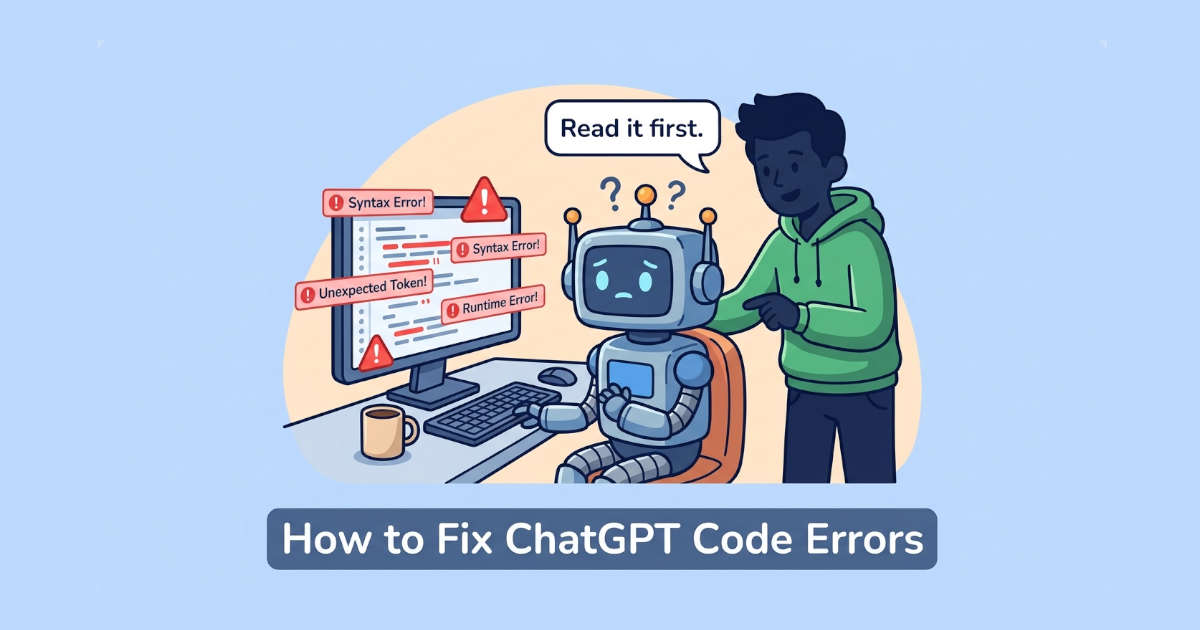
I know. You want to run it. You want to see if it works. Don't. Read it first. Not skim. Read.
Ask yourself:
What is this supposed to do? Does the code actually do that?
What if the input is empty? Or null? Or wrong type?
What libraries does it use? Do they exist? Are they still maintained?
Does this match my project? Or will I have to rewrite it later?
One of the worst AI coding habits is merging code you don't understand. If you can't explain a line, don't ship it.
Confused? Just ask ChatGPT to explain. Something like "walk me through this line by line." You'd be surprised how often that reveals problems.
Read article on "Are Terminal AI Coders Finally Ready to Replace IDEs?"
Common ChatGPT Code Errors (And How to Fix Them)
Let's look at the mistakes I see most.
Error 1: The Missing Edge Case
What it looks like: Works great on normal input. Then someone passes an empty string and everything blows up.
Example:
python
def get_first_item(items):
    return items[0]
Fine until items is empty. Then you get an IndexError. Fun.
The fix: Ask ChatGPT to handle it. Something like: "Update this to return None instead of crashing on empty lists."
Usually fixes it first try. But you gotta ask.
Error 2: The Confidently Wrong Logic
What it looks like: Code runs fine. Output is just wrong. Maybe the loop is off by one. Maybe it uses = instead of ==. Maybe the date logic assumes every month has 30 days.
The fix: Test with inputs where you already know the answer. Run it on a tiny dataset. If the result doesn't match what you expect, don't trust the code. I also like to paste the code into a fresh ChatGPT chat and ask "what's wrong with this?" A second pass often catches what the first one missed.
My favorite trick is to feed the code to a different ChatGPT session and ask what's wrong.
Error 3: The Security Hole
What it looks like: Code works. But it opens a door for attackers. Common stuff:
Regex patterns that freeze the server on bad input
Try/catch blocks that swallow errors silently
SQL queries built with string concatenation
Async functions that ignore promise rejections
The fix: Add security rules to your prompt before generating code. Like: "Add input validation and use parameterized queries." Then check the output like a security person. See a regex with nested quantifiers like (.*)+? Be suspicious. See a catch block that just logs "error" and moves on? Ask why. Researchers at Georgia Tech found that AI-generated code often has the same security flaws repeated across projects.
Error 4: The Unnecessary Abstraction
What it looks like: You asked for a simple function. ChatGPT gave you three classes, an interface, and a factory method.
Yeah. It does that. LLMs over-engineer stuff because they've seen so much enterprise code.
The fix: Push back. Say "solve this with the simplest approach, standard library only." That usually helps.
Already written? Ask it to refactor: "Simplify this. Use plain functions. Remove abstractions."
Error 5: The Fake API
What it looks like: ChatGPT calls a function that doesn't exist. Or uses a library method with wrong arguments. Or imports a package that isn't real.
The fix: Check every import and every external call. Does the package exist on npm or PyPI? Does the function signature match the docs?
This matters most with newer libraries. ChatGPT has a knowledge cutoff. It might suggest an API that got renamed last year.
Read article on "Gates Calls for Global AI Rules & Human Jobs"
My Debugging Workflow
Here's what I actually do when ChatGPT code doesn't work.
Step 1: Run It and Read the Error
Don't guess. Run it. Read the error. Python and JavaScript give you line numbers for a reason.
Step 2: Isolate the Problem
Comment stuff out until you find the broken part. Or add print statements. See what the values look like at each step.
Classic trick: simplify the input. Fails on 100 items? Try 2. Fails on a complex object? Try a minimal one.
Step 3: Ask ChatGPT for a Fix
Be specific. Don't say "it doesn't work." Say: "This returns None when I pass an empty list. Here's the code and the error. How do I fix it?"
More context = better fix.
Step 4: Verify the Fix
Don't assume version 2 is correct. Run the same test that failed. Then add new tests for edge cases.
Step 5: Know When to Give Up
Sometimes ChatGPT just can't solve it. It keeps giving you variations of the same broken thing. When that happens, stop. Write it yourself. You'll save time.
How to Review AI Code Like a Pro
Reviewing AI code is a skill. Here's my checklist.
Check | Question |
|---|---|
Intent | Does this solve the right problem? |
Logic | Does it handle edge cases? |
Security | Any injection risks or missing validation? |
Dependencies | Do all imports exist? Are they maintained? |
Tests | Do the tests actually test anything? |
Readability | Can a human understand this? |
GitHub's own guide on reviewing AI code says start with function: make sure it compiles, tests pass, and static analysis is clean.
Then move to intent. Ask: "Does this fit our architecture? Does it follow our style?"
Last check is understanding. If you can't explain the code to a coworker, it's not ready.
Fix or Rewrite?
Not every broken code is worth fixing.
Fix it if:
Logic is mostly right and just needs edge case handling
Structure is fine, just a few bugs
You understand what it's trying to do
Rewrite it if:
You can't understand it
It's full of unnecessary abstractions
Fixing takes longer than writing it yourself
Security issues are baked into the design
Rule of thumb: if you're spending more time debugging than you would have spent writing it yourself, stop using ChatGPT for that task.
Better Prompts = Fewer Errors
The best way to fix ChatGPT code errors is to not have them in the first place.
Here's a simple formula:
Say the language and version. "Write a Python 3.11 function..."
Describe exact input and output. "Input: list of integers. Output: sum of evens, or 0 if empty."
Mention constraints. "No external libraries. Handle all edge cases."
Give an example. "For [1, 2, 3, 4], return 6."
The more specific you are, the less ChatGPT has to guess. And guessing is where errors come from.
One Thing About Trust
I use ChatGPT every day. It makes me faster. But I never ship code I don't understand. There's a big difference between using AI as a tool and letting AI do your job. The devs who get the most from ChatGPT are the ones who review carefully, test thoroughly, and know when to take over. A data analyst guide put it well: "AI states wrong answers confidently. Treat AI output as a capable junior's draft, always reviewed." Same goes for code. ChatGPT is your junior dev. You're the senior. Act like it. Almost half of developers only trust AI code when they can verify it.
Final Takeaway
ChatGPT is a great coding tool. But it doesn't replace your brain.
The errors it makes are predictable. Missing edge cases. Wrong logic. Security holes. Too much complexity. Once you know what to look for, you can catch them before they hit production.
Simple workflow: Read the code. Test it. Understand it. Then ship it.
Can't explain a piece of AI code? Don't merge it. Fixing takes longer than writing it yourself? Rewrite it. ChatGPT keeps failing on the same thing? Take over.
That's not a failure of the tool. That's just good engineering.
Now go fix that broken function. You got this.