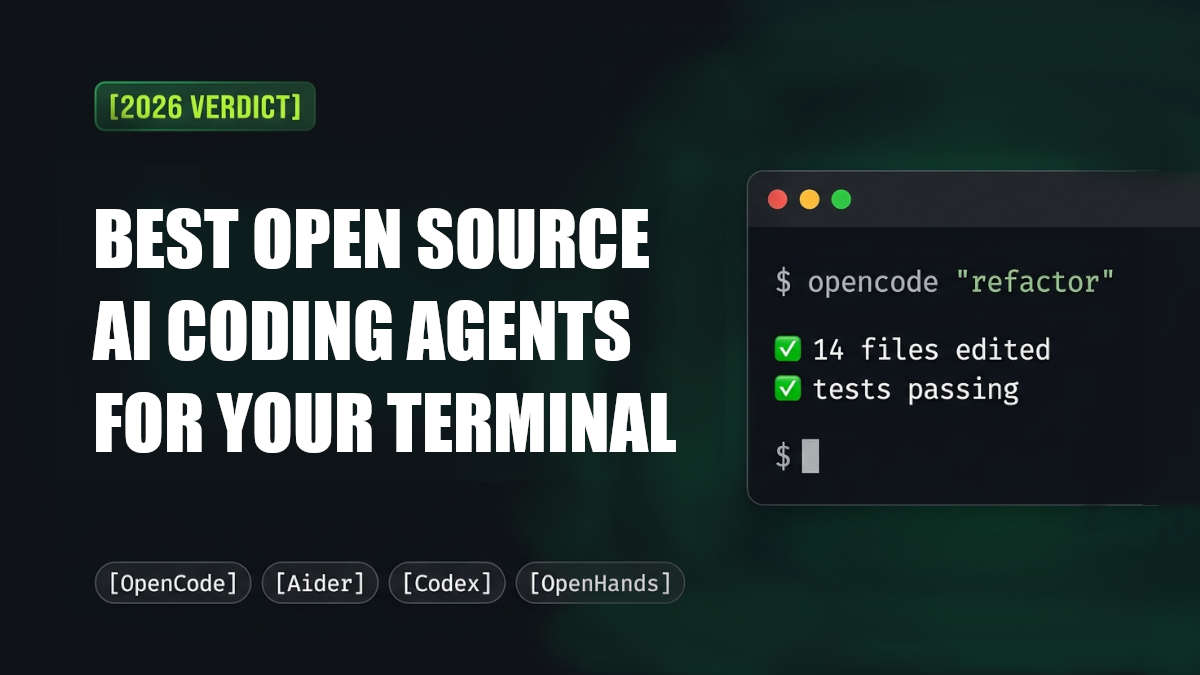
In 2026 source AI coding tools moved fast. Within a few months some terminal-based coding agents grew quickly in popularity while others shifted direction changed how they were managed or faded away completely. Google took down the Gemini CLI. Roo Code was put into mode.. One project, OpenCode quietly climbed to become the most used open-source coding tool on GitHub passing 165k stars.
If you're looking for the best AI coding assistant that works in the terminal today your options are very different from what they were a year ago.
The version: OpenCode is now the top choice overall for most developers. Aider still stands out if you work mostly with Git and want editing inside your repository. OpenHands leads when you need autonomous workflows.. Pi is the most exciting new option if you’re after something small, simple and easy to tweak.
Below is a look, at each tool what happened during 2026 and how to decide which one fits your needs.
Quick Comparison: Open Source CLI Coding Agents in 2026
If you're going to try this, you should know what you're choosing between. Here's a rundown of the major terminal agents in 2026.
OpenCode
Best for: All-round daily driving
Install:
npm install -g opencode-aiStandout feature: Polished TUI with support for any provider
Why it matters: OpenCode is the current heavyweight. Massive community, active development, broad provider support, and built-in planning and execution agents. Most people starting out land here first.
Codex CLI
Best for: Sandboxed, safety-first runs
Install:
npm install -g @openai/codexStandout feature: Isolated shell execution
Why it matters: Codex CLI focuses on safety above everything. Commands run in restricted environments unless you explicitly grant access. Ideal for CI pipelines and unattended execution, though it's optimized mainly for OpenAI models.
OpenHands
Best for: Autonomous, multi-step work
Install:
pip install openhandsStandout feature: Headless CI execution
Why it matters: OpenHands handles larger workflows—browsing, editing, testing, retrying—without hand-holding. Requires Python 3.12 and is more complex than lightweight tools, but the automation power is real.
Cline
Best for: IDE + CLI + SDK teams
Install:
npm install -g clineStandout feature: One agent across surfaces
Why it matters: Cline started as a VS Code extension and matured into a standalone CLI in 2026. Now supports SDK workflows, parallel agents, and team-oriented features. The CLI version is newer but catching up fast.
Pi
Best for: Minimal, hackable setups
Install:
npm install -g @mariozechner/pi-coding-agentStandout feature: Tiny lazy-loading prompt
Why it matters: Pi came out of nowhere and got everyone's attention. Created by Armin Ronacher and Mario Zechner, it uses a lazy-loading skill system that injects instructions only when needed. Clean TypeScript architecture, easy to understand, but the ecosystem is still young.
Goose
Best for: Automation beyond coding
Install:
curl -fsSL https://goose-docs.ai/install.sh | bashStandout feature: MCP ecosystem
Why it matters: Goose goes broader than most coding agents. It handles automation, research, scripting, and general system workflows. Moving to the Linux Foundation for long-term neutrality. Less specialized for coding-only tasks, but versatile.
Aider
Best for: Git-native pair editing
Install:
pipx install aider-chatStandout feature: Clean, structured commits
Why it matters: Aider has been around forever and still does one thing extremely well: Git-centered editing. Reliable multi-file edits, clean commit history, structured workflow. Release cadence has slowed, but it's still solid.
Continue
Best for: CI-focused automation
Install:
npm install -g @continuedev/cliStandout feature: Role-based model config
Why it matters: Continue expanded beyond IDE tooling and now offers a terminal agent through the
cncommand. Strong CI integration and useful permission policies. Package naming can feel confusing, and main focus shifted toward automated workflows.
What Is a CLI Coding Agent?
A CLI coding agent is more than an AI model inside a terminal.
The language model handles reasoning and code generation, but the surrounding framework, often called the harness, manages everything else. It reads files, executes shell commands, edits repositories, runs tests, and feeds results back to the model so it can keep working step by step.
Because the model and the harness are separate, you can swap providers, GPT, Claude, Qwen, DeepSeek, or local models through Ollama, without changing your workflow. That flexibility is the single biggest reason open-source coding agents are growing so quickly.
Why Developers Are Switching to Open Source Coding Harnesses
1. Control over models and infrastructure
Many open-source agents support local models through Ollama, LM Studio, llama.cpp, vLLM, or MLX. For teams handling sensitive repositories or internal infrastructure, keeping data local matters.
bash
ollama run qwen2.5-coder2. Reduced dependency on vendors
Closed-source developer tools can change abruptly. Subscription pricing rises, authentication methods disappear, or entire products get discontinued, Gemini CLI's 2026 retirement being the latest cautionary tale.
Open repositories under MIT or Apache licenses reduce that risk, because the community can continue maintaining or forking them.
3. Full visibility into prompts and permissions
With an open harness, you can inspect system prompts, tool permissions, execution policies, and shell-access rules directly in the repository. That transparency makes debugging and customization far easier, and safer.
How to Evaluate an Open Source Coding Agent
Before adopting any agent, check four things:
The license. MIT and Apache-2.0 are permissive. AGPL and FSL carry restrictions that matter if you plan to build commercial tooling on top. Not every "free" tool is truly open source.
Local model support. If privacy, offline development, or cost control matters, confirm the harness supports Ollama, LM Studio, llama.cpp, vLLM, or MLX.
Recent activity, not stars. Stars measure popularity; commits measure health. A repo with frequent commits and active issue discussions is safer than a big project that stopped shipping.
bash
git log --since="30 days ago"Breaking-change cadence. Fast-moving projects ship fast and occasionally break things. Skim the changelog before upgrading mid-project.
The Best Open Source AI Coding Agents in 2026
1. OpenCode, the overall winner
OpenCode has become the dominant open-source coding agent in 2026. It combines a polished terminal interface with strong provider flexibility and broad community support, multiple AI providers, local models via Ollama, MCP integrations, and built-in planning and execution agents, with LSP support in a terminal-first workflow.
bash
npm install -g opencode-ai
# or
curl -fsSL https://opencode.ai/install | bash
Why developers like it: works with multiple providers, supports local models, ships frequent releases, and has the most active community in the category.
Keep in mind: some users report inconsistent Ollama auto-discovery, the project moves quickly enough to create occasional breaking changes, and Claude subscription login support was removed after platform disputes.
2. OpenAI Codex CLI, the safety-first choice
Many developers overlook that Codex CLI is open source. It's licensed under Apache-2.0 and focuses heavily on safety and sandboxing. Its strongest feature is isolated shell execution: commands run inside restricted environments unless broader access is explicitly granted.
bash
npm install -g @openai/codex
brew install --cask codex
# Run with local open-source models:
codex --oss
Best suited for: secure unattended execution, OpenAI-heavy workflows, and developers who prefer containerized safety boundaries.
Limitations: the experience is optimized mainly for OpenAI models, and sandboxing adds slight overhead during large file operations.
3. OpenHands, best for autonomous workflows
OpenHands focuses on autonomous execution. Unlike lightweight edit tools, it handles larger multi-step workflows, browsing, editing, testing, and retrying, and integrates well with CI/CD pipelines.
bash
uvx openhands
# or
pip install openhands
# Headless execution:
openhands -t "fix failing tests"
Key strengths: strong automation support, headless execution for CI pipelines, and broad provider compatibility through LiteLLM.
Challenges: requires Python 3.12, is more complex than lightweight assistants, and local model performance varies depending on your setup.
4. Cline, best if you live in VS Code and the terminal
Cline originally gained popularity as a VS Code extension, but its standalone CLI matured significantly during 2026. It now supports SDK workflows, CLI execution, parallel agents, and team-oriented integrations.
bash
npm install -g clineAdvantages: works across IDE, SDK, and terminal workflows, with broad provider compatibility and strong team features.
Drawbacks: the CLI is newer than its IDE tooling, and it requires external API access or keys.
5. Pi, the minimal, hackable harness
Pi became one of the most discussed coding harnesses of 2026 because of its lightweight architecture. Instead of loading huge prompts into every interaction, Pi uses a lazy-loading skill system that injects instructions only when required, keeping its system prompt remarkably small.
bash
npm install -g @mariozechner/pi-coding-agentWhy it stands out: extremely small system prompt size, clean TypeScript architecture, and internals that are easy to understand and customize.
Tradeoffs: a younger ecosystem and fewer built-in tools than larger frameworks.
6. Goose, best for automation beyond coding
Goose takes a broader approach than most coding agents, supporting automation, research, scripting, and general system workflows alongside coding tasks. It has expanded heavily through MCP integrations and now operates under Linux Foundation governance (more on that below).
bash
curl -fsSL https://goose-docs.ai/install.sh | bashGood for: multi-purpose automation, MCP-heavy workflows, and general terminal assistance.
Less ideal for: highly specialized coding-only tasks and minimalist development environments.
7. Aider, best for Git-native editing
Aider remains one of the strongest Git-native AI coding tools available. Instead of trying to automate everything, it focuses on structured editing, multi-file coordination, and commit-oriented workflows.
bash
pipx install aider-chat
aider .
Why developers still use it: excellent Git integration, clean commit history, and reliable multi-file edits.
Concerns: a slower release cadence in recent months and a smaller maintainer base than newer projects.
8. Continue, best for CI automation
Continue expanded beyond IDE tooling and now offers a dedicated terminal agent through the cn command, with strong CI integration, useful permission policies, and flexible role-based model configuration.
bash
npm install -g @continuedev/cli
# Interactive mode:
cn
# Headless execution:
cn -p "review this repository"
Downsides: branding and package naming can feel confusing, and the project's main focus has shifted toward automated CI workflows.
Also worth watching
Qwen Code, increasingly relevant after Google announced Gemini CLI's retirement. Works particularly well with Qwen-Coder open-weight models and continues the Gemini CLI-style workflow in an open-source direction.
npm install -g @qwen-code/qwen-code@latestCrush, built by the Charm team, pairing polished terminal visuals with strong model support. Uses the more restrictive FSL license.
brew install charmbracelet/tap/crushForge, a clean Rust-based architecture with separate agents for implementation, planning, and research.
curl -fsSL https://forgecode.dev/cli | sh
What Changed in 2026 (and Why It Matters)
Three events reshaped the ecosystem this year, and explain a lot of the current migration activity.
Gemini CLI's retirement. Google announced the shutdown of Gemini CLI for most public users in June 2026, replacing it with a closed-source alternative. That decision accelerated interest in open alternatives like Qwen Code.
Roo Code archived. Roo Code stopped active development and archived its repository in May 2026. Developers using Roo are now commonly migrating to Cline or Kilo Code.
Goose joined the Linux Foundation. Goose transitioned into foundation governance under the Linux Foundation's Agentic AI initiative, establishing long-term neutrality, a meaningful signal in a year when vendor independence became the whole point.
OpenCode vs Aider: Which Should You Actually Use?
These two represent opposite philosophies, and many developers end up running both.
Choose OpenCode if you want an agent that plans and executes multi-step tasks autonomously, works with any provider, and you're comfortable reviewing larger diffs.
Choose Aider if you want to stay in the driver's seat, surgical, commit-clean edits where every change lands as a well-structured Git commit.
A practical setup: Aider for everyday refactoring and review-heavy work, OpenCode for bigger delegated tasks on a scratch branch.
Practical Tips for Running AI Agents in Your Terminal
1. Create an isolated Git branch first.
bash
git checkout -b agent/refactor-taskThis makes reviewing autonomous changes dramatically safer.
2. Keep context focused. Large context windows increase cost and often reduce precision. Restrict the agent to the files it actually needs.
3. Automate tests and let the agent iterate. The best workflows combine coding agents with automated validation:
bash
pytest
npm test
Let the agent run until tests pass instead of reviewing every edit manually.
4. Learn the permission system. Some tools allow unrestricted shell access; others use sandboxes or approval flows. Understand those boundaries before running autonomous workflows inside production repositories.
The Bottom Line
Open-source CLI coding agents are no longer experimental side projects, they're becoming part of everyday developer workflows.
OpenCode currently leads the field in popularity and ecosystem activity. Pi offers the cleanest architecture if you prefer lightweight, hackable tooling. OpenHands is the strongest choice for autonomous workflows, and Aider still excels at Git-centered editing.
But 2026 also showed how unstable this ecosystem can be. Gemini CLI is disappearing, Roo Code is already archived, and several projects changed governance or authentication models within months.
Before committing to any workflow, check the license, recent commit history, local model support, and long-term community activity. The biggest advantage of open source remains flexibility: if a model changes, a provider disappears, or a workflow stops fitting your needs, you can adapt without rebuilding everything from scratch.