I remember when I first opened the Next.js documentation. I felt lost within ten minutes.
The terminology was confusing. Server components. App router. Edge runtime. I thought I needed to learn ten new things at once.
That was a few years ago. The framework has changed a lot since then. If you are thinking about learning Next.js in 2026, you are in a better position than I was. The ecosystem has matured. The documentation is better. The community has settled on clear patterns.
But there are still some things you should know before you start. This guide will save you time and frustration.
Let me walk you through what actually matters.
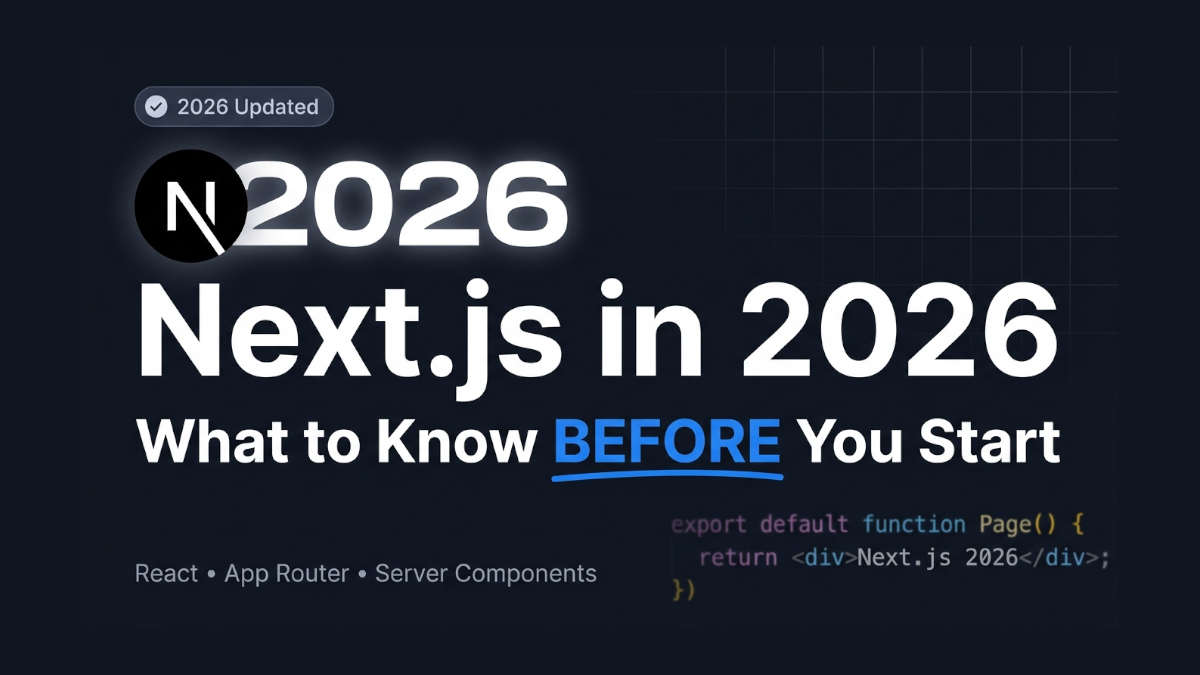
Is Next.js Still Worth Learning in 2026?
Short answer: yes.
Next.js is not a hype framework anymore. It is the default way to build React applications for production. Big companies use it. Small startups use it. Freelancers use it.
Here is why it still matters in 2026:
React is still the most popular UI library. Next.js is built on top of React. You are not learning a completely new ecosystem.
Job market demand is high. Many job postings list Next.js as a requirement or a nice-to-have skill.
It solves real problems. Routing, server-side rendering, image optimization, and API routes are built in. You do not need to assemble five separate tools.
The tooling is stable now. The rough edges from the app router transition are mostly gone.
That said, learning Next.js in 2026 is not the same as learning it in 2022. The framework has changed. You need to know what to focus on first.
The One Hard Prerequisite: React
I will be direct with you.
Do not start learning Next.js before you understand React basics.
Next.js is a React framework. It does not hide React. It extends React. If you do not know how React works, you will struggle with even simple Next.js concepts.
Here is what you need to know in React before you touch Next.js:
Components and props. How to create a component and pass data to it.
State and hooks. Specifically
useStateanduseEffect.Event handling. How to respond to clicks, form submissions, and other user actions.
Lists and keys. How to render multiple items from an array.
Conditional rendering. Showing or hiding UI based on state.
You do not need to be a React expert. But you should be able to build a simple to-do app in React without following a tutorial step by step.
If you cannot do that yet, spend two to four weeks on React first. It will make your Next.js journey ten times easier.
I have seen developers skip this step. They jump straight into Next.js because it is trendy. They end up confused and frustrated. Do not be that person.
What Makes Next.js Different from Plain React
Plain React runs mostly in the browser. When a user visits your site, the browser downloads your JavaScript bundle and renders the page.
Next.js changes this. It renders your React components on the server by default.
This is the biggest mental shift you need to make.
In plain React, you think about the browser. In Next.js, you think about both the server and the browser.
Here is a simple way to understand it:
AspectPlain ReactNext.jsWhere rendering happensBrowser onlyServer and browserRoutingManual setup with react-routerBuilt-in file-based routingData fetchingClient-side with useEffectServer-side with async functionsSEONeeds extra setupBuilt-inAPI routesNot includedBuilt-in
The App Router Is the Standard Now
In older Next.js versions, there was something called the Pages Router. You created files in a pages folder. Each file was a route.
That is no longer the main way to build Next.js apps.
Since Next.js 13, the App Router has been the recommended approach. By 2026, it is the standard. Most tutorials and jobs will expect you to know it.
The App Router uses a folder called app. Inside that folder, you create files like page.js or page.jsx.
Here is a simple example:
text
app/
├── page.js          // This is your home page at "/"
├── about/
│   └── page.js      // This is the about page at "/about"
└── blog/
    └── [slug]/
        └── page.js  // This handles dynamic routes like "/blog/my-post"
The file name page.js is special. It tells Next.js that this file should be a route.
This is called file-based routing. It is one of the best features of Next.js. You do not need to configure a router. You just create files.
Server Components vs. Client Components
This is the topic that confuses most beginners.
In the App Router, every component is a Server Component by default. That means it runs on the server. It can fetch data directly. It cannot use React hooks like useState.
If you need interactivity, you add the "use client" directive at the top of your file. This turns the component into a Client Component. It runs in the browser. You can use hooks and event handlers.
Here is what a Server Component looks like:
jsx
// app/page.js

export default async function HomePage() {
  // This runs on the server. No hooks allowed.
  const data = await fetch("https://api.example.com/posts");
  const posts = await data.json();

  return (
    <div>
      {posts.map((post) => (
        <h2 key={post.id}>{post.title}</h2>
      ))}
    </div>
  );
}
And here is a Client Component:
jsx
// app/components/LikeButton.js
"use client";

import { useState } from "react";

export default function LikeButton() {
  const [likes, setLikes] = useState(0);

  return (
    <button onClick={() => setLikes(likes + 1)}>
      Likes: {likes}
    </button>
  );
}
You will mix these two types of components. Server Components do the data fetching. Client Components handle the interactivity.
This pattern is powerful. It means faster page loads and better SEO. But it takes time to get used to.
Data Fetching Is Simpler Now (But Different)
In the old Pages Router, you had functions like getServerSideProps and getStaticProps. They were confusing.
In 2026, you can mostly forget about those.
With the App Router and Server Components, you fetch data directly inside your component. You can use the native fetch API. No special library is required.
Here is the mental model:
If a page needs data from a database or API, make the page an async Server Component.
Use
await fetch()inside the component.Return the data in your JSX.
That is it.
Next.js automatically caches and optimizes these requests. You can control the caching with options, but you do not need to worry about that on day one.
When You Need Client-Side Data Fetching
Sometimes you need to fetch data after the page loads. Maybe it depends on user input. Or you want to update data without a full page reload.
In those cases, you still use Client Components. You can use React hooks like useEffect or a library like SWR or React Query.
But for most pages, server-side data fetching is enough. And it is much simpler.
What About TypeScript?
TypeScript is a superset of JavaScript. It adds types. It catches errors before your code runs.
Next.js has excellent TypeScript support. Most production codebases use it. Most job postings expect it.
But do you need to learn TypeScript before learning Next.js?
My answer: No, but you should start using it soon after.
You can start with plain JavaScript. The concepts are the same. TypeScript just adds type annotations.
Here is the same Server Component in JavaScript and TypeScript:
JavaScript:
jsx
export default async function HomePage() {
  const data = await fetch("https://api.example.com/posts");
  const posts = await data.json();

  return (
    <div>
      {posts.map((post) => (
        <h2 key={post.id}>{post.title}</h2>
      ))}
    </div>
  );
}
TypeScript:
tsx
type Post = {
  id: string;
  title: string;
};

export default async function HomePage() {
  const data = await fetch("https://api.example.com/posts");
  const posts: Post[] = await data.json();

  return (
    <div>
      {posts.map((post) => (
        <h2 key={post.id}>{post.title}</h2>
      ))}
    </div>
  );
}
The difference is small. Once you understand JavaScript, TypeScript is a natural next step.
What You Do NOT Need to Know Before Starting
Let me clear up some common worries.
There is a lot of noise online about advanced Next.js topics. People talk about edge runtimes, middleware chaining, incremental static regeneration, and streaming strategies.
You do not need to know any of that to start.
Here is what you can ignore on day one:
Edge runtime. This is an advanced deployment option. Most apps do not need it.
Middleware. Useful later, not required for basic apps.
Advanced caching strategies. The defaults work fine for learning.
Next.js internals. You do not need to understand how the compiler works.
Self-hosting complexities. Start with Vercel or a simple Node server.
Focus on the basics. Build a small project. Add complexity later.
A Simple Learning Path for 2026
If I were starting over, here is the path I would follow.
Week 1: React Crash Course (If Needed)
If you are not comfortable with React, spend a week or two on it. Build a simple app. Use hooks. Understand components.
Week 2: Next.js Fundamentals
Install Next.js. Create your first app.
bash
npx create-next-app@latest my-first-appThen learn:
File-based routing with the App Router
Server vs. Client Components
Layouts and pages
Linking between pages with the
Linkcomponent
Week 3: Data Fetching and Dynamic Routes
Learn how to:
Fetch data in Server Components
Create dynamic routes with
[slug]or[id]Use
paramsandsearchParamsHandle loading states with
loading.jsHandle errors with
error.js
Week 4: Build a Real Project
Do not watch more tutorials. Build something.
Good project ideas for beginners:
A blog with a list of posts and individual post pages
A product catalog with categories and search
A personal portfolio with a contact form
A simple dashboard that fetches data from a public API
The project will expose gaps in your knowledge. That is good. Fix the gaps as they appear.
Common Mistakes Beginners Make
I have mentored a few developers through this process. Here are the mistakes I see most often.
1. Not Learning React First
I already mentioned this. It is the biggest one. Next.js is not a shortcut around React.
2. Overcomplicating with Client Components
Beginners often add "use client" to everything. They do not trust Server Components. They think they need hooks everywhere.
Remember: Default to Server Components. Only use "use client" when you need interactivity.
3. Ignoring the Documentation
The Next.js documentation is excellent. It has clear guides and examples. Many people skip it and rely on random YouTube tutorials.
Start with the official docs. Use tutorials as a supplement, not a replacement.
4. Trying to Learn Too Many Tools at Once
Next.js often gets bundled with other tools: Tailwind CSS, Prisma, tRPC, Zustand, and more.
You do not need all of these on day one. Start with Next.js and plain CSS. Add tools only when you understand why you need them.
5. Copying Old Tutorials
This is a real problem. Many tutorials online are from 2022 or 2023. They teach the Pages Router. They use getServerSideProps. They do not mention Server Components.
When you search for tutorials, check the date. Look for content from 2024 or later. If a tutorial mentions getStaticProps, it is outdated.
Internal Link Opportunities
If you have a blog or website, this article creates natural opportunities to link to other content. Here are some examples:
"React Basics for Beginners" – Link this in the React prerequisite section. Use anchor text like "learn React basics first."
"How to Build Your First Next.js App" – Link this in the learning path section. Use anchor text like "build your first Next.js app."
"Server Components Explained Simply" – Link this in the Server Components section. Use anchor text like "understand Server Components."
"Next.js vs. Plain React: Which Should You Choose?" – Link this in the comparison section. Use anchor text like "difference between React and Next.js."
Summary: What You Need to Know Before Starting
Here is the short version.
React is a hard prerequisite. Do not skip it.
The App Router is the standard. Learn it, not the Pages Router.
Server Components are the default. Client Components are for interactivity.
Data fetching is simpler now. You fetch data directly in async Server Components.
TypeScript is optional but recommended. Start with JavaScript if needed.
Ignore advanced topics at first. Edge runtime and middleware can wait.
Build a project within the first month. Tutorials are not enough.
Final Takeaway
Learning Next.js in 2026 is a smart move. The framework is stable, popular, and practical. But do not rush in without preparation.
Know React first. Focus on the App Router. Understand Server and Client Components. Then build something real.
If you do that, you will avoid the confusion that frustrates so many beginners. And you will be building production-ready apps faster than you expect.
The best time to start is now. But start the right way.