I used to think learning Kubernetes was mostly about learning Kubernetes. That was my first mistake.
You memorize kubectl commands. You write YAML files until your fingers hurt. You deploy containers and feel like a wizard. But then something breaks. And it always breaks.
And when it breaks, you eventually end up talking to Linux.
That's where things get interesting.
I remember the first time a pod wouldn't start. I stared at the error message like it was written in a foreign language. CrashLoopBackOff. Sounds dramatic, right? But the actual problem? A permissions issue. The container couldn't write to a directory. That's a Linux thing, not a Kubernetes thing.
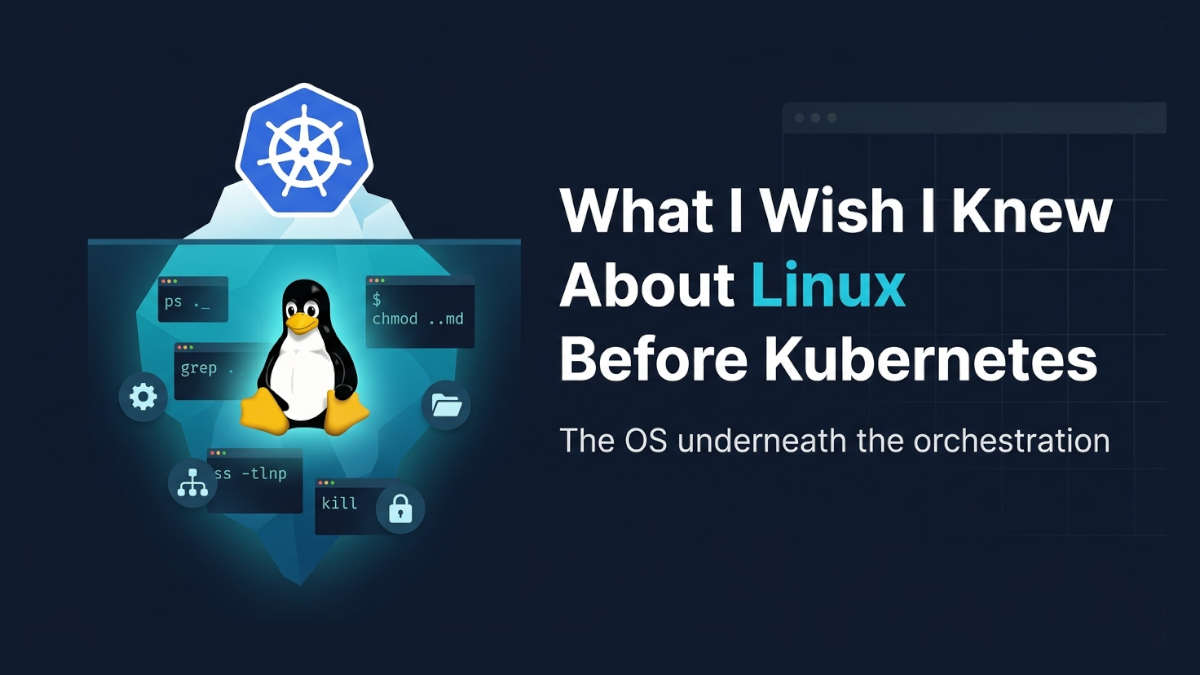
A Kubernetes pod is running on a Linux system. Containers rely heavily on Linux concepts. Networking, processes, permissions, filesystems, logs, CPU, memory, and ports all connect back to the OS. If you don't understand what's happening underneath, you're just guessing.
So before jumping into Kubernetes, I'd learn Linux fundamentals step by step. Here's what actually matters.
Navigate the filesystem
This sounds basic. It is basic. But here's the thing: containers have their own filesystem layers. When you're inside a pod looking at /app/config.yaml, you're looking at a layered filesystem built on Linux.
I spent way too long confused about why a file existed on the node but not in the pod. The answer was mount points. Linux mount points. If I had understood how filesystems actually work, I would have saved myself a weekend.
Learn ls, cd, pwd, find, df, mount. Not just memorize them. Understand what they're showing you.
Understand processes and signals
Here's something I didn't know: PID 1 in a container is special. When you send a SIGTERM to a pod, it goes to PID 1. If your process doesn't handle that signal properly, your pod hangs during termination.
That's Linux process management. Not Kubernetes.
I learned this the hard way when my pods took 30 seconds to shut down for no apparent reason. Turns out the Node.js app didn't handle SIGTERM correctly. The signal was being sent, but the process ignored it. Learn ps, top, kill, kill -9, and the difference between SIGTERM and SIGKILL. Future you will thank present you.
Learn permissions and users
Containers run as a specific user. By default, many run as root. But best practice says you should run as a non-root user. That means permissions matter.
I once deployed a container that worked perfectly on my local machine. In production? It couldn't read a certificate file. The user inside the container didn't have permission to access the mounted volume.
That's not a Kubernetes problem. That's a Linux permissions problem.
Learn chmod, chown, chown -R, umask, and how user IDs work. Especially understand that a user ID inside a container maps to a user ID on the host. This trips people up constantly.
Work with networking and ports
Kubernetes networking is complex. Services, Ingress, NetworkPolicies, CNI plugins. It's a lot.
But underneath all of that, you still have basic Linux networking. Ports, IP addresses, routing tables, iptables.
When a pod can't reach another pod, where do you even start? I used to just reboot things and hope. Now I check ss -tlnp, ip addr, ip route, and iptables -L.
Let me tell you, when you realize that a Service in Kubernetes is basically a set of iptables rules on the node, something clicks in your brain. You stop seeing magic. You see Linux.
Learn how to check what's listening on a port. Learn how DNS resolution actually works. Understand that localhost inside a container is not the same as localhost on the node.
Read logs and troubleshoot services
Kubernetes gives you kubectl logs. It's nice. But where do those logs actually go? Depends on your container runtime. Usually, they end up as files on the node under /var/log/containers/ or /var/log/pods/.
When kubectl logs doesn't work or the pod is stuck in ContainerCreating, you need to go look at the node. You need to know how to use journalctl, how to check systemctl status, how to read /var/log/syslog or /var/log/messages.
I used to think logs were a Kubernetes feature. They're not. They're a Linux feature that Kubernetes surfaces for you.
Learn how to tail files, grep for errors, and trace a service startup. Basic Linux troubleshooting skills will take you far.
Understand CPU and memory usage
Kubernetes lets you set resource requests and limits. But do you actually understand what those numbers mean?
When you set a memory limit of 512Mi, what happens when your pod exceeds it? The Linux kernel kills the process. That's an OOM kill. It shows up in dmesg. You'll see it in kubectl describe pod as OOMKilled.
When you set a CPU limit, you're actually setting a quota that the Linux kernel enforces using CFS (Completely Fair Scheduler). This is pure Linux.
I set some bad limits early on. Pods kept getting killed. I thought Kubernetes was broken. It wasn't. It was doing exactly what I told it to do. I just didn't understand what I was telling it.
Learn free, vmstat, mpstat, top, and how to read /proc/meminfo. Understand what CPU throttling looks like. It'll save you from mysterious pod restarts.
Get comfortable with SSH and the terminal
Here's the reality: when things go really wrong, you're going to need to access a node directly. That means SSH.
I avoided this for a long time. I wanted everything to be managed through Kubernetes. But sometimes you need to look at the actual machine. You need to check disk space, look at running processes, inspect network connections.
The terminal used to scare me. The black screen, the blinking cursor, the feeling that one wrong command could destroy everything.
Now? The terminal feels like home. It's where the real information lives.
Learn SSH basics. Learn how to move around comfortably. Learn how to use tmux or screen if you're working on remote machines. Get past the fear.
The big picture
Kubernetes becomes much easier when you understand what's happening underneath it. That's the whole point.
I spent months trying to learn Kubernetes in isolation. I memorized commands. I copied YAML from tutorials. And I was lost the moment anything deviated from the happy path.
When I started learning Linux properly, everything changed. Kubernetes stopped being a black box. It became a tool that I understood. A tool that orchestrates a system I actually know.
My biggest takeaway: Don't just learn the orchestration layer. Learn the system it orchestrates.
If you're just starting out, spend a few weeks with Linux. Set up a server. Break things. Fix them. Read logs. Check ports. Kill processes. Understand permissions.
Then come back to Kubernetes. You'll be amazed at how much easier it feels.