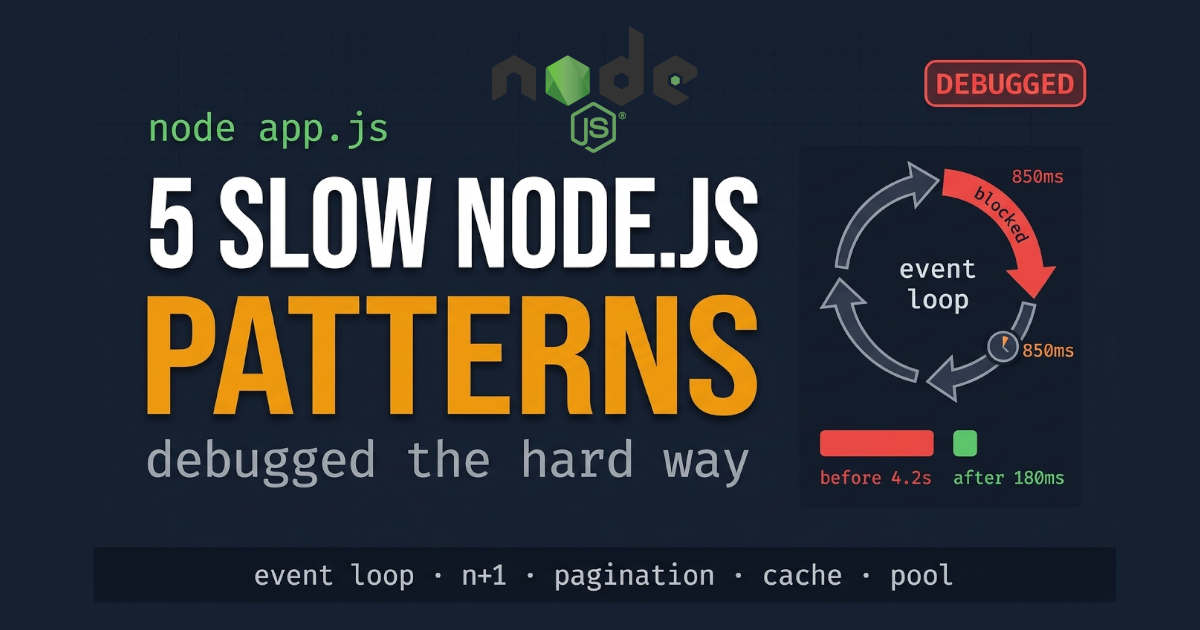
Your Node app was fast yesterday. Today it's crawling. Nothing changed. So what happened?
I've been there. Too many times. And after enough late nights, I started seeing the same five things over and over. Different bugs, same root causes. This isn't some abstract best-practices list. These are the actual patterns I've debugged. The ones that made me want to throw my laptop out the window. And the fixes that finally worked.
Let's start with the worst one.
Read article on "How We Cut API Response Time by 60%"
The Event Loop Is a One-Lane Road. And You Just Parked a Truck in It.
Here's the thing about Node that took me way too long to get: JavaScript runs on one thread. One thread handles everything. Every request, every callback, every timer. Block it, and you block it all.
Look at this innocent function:
javascript
function badTask() {
  const start = Date.now();
  while (Date.now() - start < 3000) {
    // keep CPU busy for 3 seconds
  }
  console.log("Heavy task finished!");
}
You might think, "It's just 3 seconds. What's the big deal?"
The big deal is that during those 3 seconds, nothing else happens. No health check. No login. No simple ping. Everything waits in line behind your loop.
One team put it bluntly: "A 50ms CPU-bound function running inside a request handler adds 50ms to the response time of every concurrent request, not just the one that triggered it." Now multiply that by 3 seconds.
This Happens More Than You Think
The tricky part? Blocking code doesn't always look like a while loop. It hides as:
Sync file reads (
fs.readFileSync) inside a routeBig JSON serialization (
JSON.stringifyon a 50MB object)Bad regex with catastrophic backtracking
Sync crypto like
pbkdf2orrandomBytesDeep cloning with
JSON.parse(JSON.stringify(data))
I once spent two hours chasing a "slow API" that turned out to be one fs.readFileSync call in some middleware I added months ago and forgot about.
The Fix: Move It Off the Main Thread
The Node docs are clear. The event loop should stay free. If a task takes more than a few milliseconds, it doesn't belong there.
For CPU-heavy work, use Worker Threads:
javascript
const { Worker } = require('worker_threads');

app.get('/process', (req, res) => {
  const worker = new Worker('./heavy-task.js', {
    workerData: { input: req.body }
  });

  worker.on('message', (result) => res.json(result));
  worker.on('error', (err) => res.status(500).json({ error: err.message }));
});
For tasks that can wait, push them to a background job queue (BullMQ, Bee-Queue, or even just a DB table plus a worker).
Common mistake: wrapping every async call in a Worker. That's overkill. Your DB driver, HTTP client, and most SDKs are already non-blocking. Only move stuff that actually burns CPU.
Read article on "10 Next.js Security Mistakes"
The N+1 Query Problem (Or: Why Your Loop Is Lying to You)
This one is sneaky. It looks totally fine in dev.
javascript
const users = [1, 2, 3, 4, 5];

async function slowDatabaseExample() {
  for (const user of users) {
    await fakeDatabaseQuery(user);
  }
}
With 5 users, this runs in milliseconds. With 500 users in prod, you just fired 500 queries. One after another. Each one waits for the last.
And the total time isn't just 500 × query_time. It's worse, because you're also paying network round-trip latency 500 times.
One monitoring guide nailed why this feels natural in JS: "The 'loop and query' pattern feels natural in JavaScript." We loop over arrays all day. But every await inside that loop is a full round trip to your DB.
The Fix: Batch or Parallelize (Carefully)
The easiest improvement is Promise.all:
javascript
async function fastDatabaseExample() {
  await Promise.all(users.map(fakeDatabaseQuery));
}
Now all queries fire at once. But here's the trap: concurrency isn't free. If you have 500 users, you just opened 500 DB connections at the same time. Your connection pool (usually 10–20 connections) gets slammed. Now every other request in your app is waiting for a connection.
The real fix depends on your setup:
Option A: One query instead of many
javascript
const users = await db.query('SELECT * FROM users WHERE id IN (?)', [ids]);Option B: Batch it
If you're on GraphQL, DataLoader is the standard. For REST, you can use something like microbatch to collect individual calls and fire them as one query:
javascript
const userLoader = batcher(async (ids) => {
  const users = await db.query('SELECT * FROM users WHERE id IN (?)', [ids]);
  return new Map(users.map(u => [u.id, u]));
});

const alice = await userLoader.load(1);
const bob = await userLoader.load(2);
Option C: Limit concurrency
If batching isn't possible, cap how many queries run at once with something like p-limit:
javascript
const pLimit = require('p-limit');
const limit = pLimit(10); // max 10 at a time

await Promise.all(users.map(user =>
  limit(() => fakeDatabaseQuery(user))
));
Common mistake: thinking Promise.all is always faster. It fires everything at once. If your DB or pool can't take the burst, you just traded one bottleneck for another.
Read article on "HTTP/3 vs HTTP/2"
Loading Everything (Because "Just in Case" Is Expensive)
This is the pattern I see most in codebases that "worked fine at first."
javascript
app.get('/api/orders', async (req, res) => {
  const orders = await db.query('SELECT * FROM orders');
  res.json(orders);
});
Works fine. Until your orders table hits 100,000 rows. Now every request loads 100k records into memory, turns them into JSON, and shoves them over the network. Memory spikes. Response takes 8 seconds. Client times out and retries, making it worse.
I've watched one unpaginated endpoint bring down a whole API because garbage collection couldn't keep up.
The Fix: Paginate and Select Only What You Need
Pagination is step one. Offset works fine for a lot of cases:
javascript
app.get('/api/orders', async (req, res) => {
  const page = parseInt(req.query.page) || 1;
  const limit = Math.min(parseInt(req.query.limit) || 20, 100);
  const offset = (page - 1) * limit;

  const orders = await db.query(
    'SELECT id, customer_name, total, created_at FROM orders LIMIT ? OFFSET ?',
    [limit, offset]
  );

  res.json({ data: orders, page, limit });
});
But offset pagination has a cost. The DB still scans all the rows you're skipping. For big tables, cursor-based pagination is better:
javascript
app.get('/api/orders', async (req, res) => {
  const limit = 20;
  const cursor = req.query.cursor;

  let query = 'SELECT id, customer_name, total FROM orders ORDER BY id DESC LIMIT ?';
  const params = [limit + 1];

  if (cursor) {
    query = 'SELECT id, customer_name, total FROM orders WHERE id < ? ORDER BY id DESC LIMIT ?';
    params.unshift(cursor);
  }

  const orders = await db.query(query, params);
  const hasNext = orders.length > limit;
  const results = hasNext ? orders.slice(0, -1) : orders;

  res.json({
    data: results,
    nextCursor: hasNext ? results[results.length - 1].id : null
  });
});
The other half of the fix: pick only the columns you need. SELECT * is easy, but it forces the DB to read every column. On a table with a big TEXT column for notes, that's a lot of wasted work.
Common mistake: paginating the API but not the DB query. If your ORM loads everything and then slices the array, you saved network bandwidth but not memory or DB load.
Read article on "10 High-Impact Projects"
Recalculating the Same Thing Over and Over (Because Nobody Told You to Cache)
Some values barely change. But if your code recalculates them every request, you're burning CPU for nothing.
I've seen this with:
Config lookups (reading the same row 1,000 times an hour)
Computed values (currency, aggregates)
External API calls (exchange rates on every request)
Expensive joins that always produce the same result
The fix is stupid simple. Which is probably why people forget it.
The Fix: Cache What's Safe to Reuse
For in-memory caching, a simple Map with a TTL does the job:
javascript
class MemoryCache {
  constructor() {
    this.cache = new Map();
  }

  set(key, value, ttlSeconds = 300) {
    this.cache.set(key, {
      value,
      expires: Date.now() + ttlSeconds * 1000
    });
  }

  get(key) {
    const item = this.cache.get(key);
    if (!item) return null;
    if (Date.now() > item.expires) {
      this.cache.delete(key);
      return null;
    }
    return item.value;
  }
}

const cache = new MemoryCache();

app.get('/api/config', async (req, res) => {
  const cached = cache.get('app-config');
  if (cached) return res.json(cached);

  const config = await db.query('SELECT * FROM config');
  cache.set('app-config', config, 600); // 10 min
  res.json(config);
});
For multiple servers, use Redis:
javascript
const Redis = require('ioredis');
const redis = new Redis();

async function getConfig() {
  const cached = await redis.get('app-config');
  if (cached) return JSON.parse(cached);

  const config = await db.query('SELECT * FROM config');
  await redis.setex('app-config', 600, JSON.stringify(config));
  return config;
}
The Traps Nobody Warns You About
Trap 1: Caching user data under a shared key. I once cached a dashboard response under 'dashboard' and spent an hour wondering why every user saw the same data.
Trap 2: Never invalidating. Cache something for 24h, then update it. Users see stale data all day. Keep TTLs short for stuff that changes, or invalidate on write.
Trap 3: Unbounded in-memory caches. A Map that grows forever is a memory leak. If you're caching sessions or search results, you need TTL or LRU eviction.
Caching is one of the best performance wins you can get. But only if you're honest about what's safe to cache.
Read article on "How to Build a TDD Workflow "
The Hidden Culprit: Connection Pool Saturation
This one isn't in the original script, but it's the pattern hiding behind all the others.
When your N+1 code fires 500 concurrent queries, or your unpaginated endpoint takes 10 seconds to serialize, your database connection pool becomes the bottleneck.
Here's how it works. Your app shares a small pool of (usually) 10–20 DB connections across all requests. When the pool's empty, new queries wait in line. The waiting itself is async (the event loop isn't blocked), but every request that needs a DB connection is now slower.
The symptom looks like "the DB is slow." But the DB might be fine. It's your app's hunger for connections that's the problem.
How to Spot It
Watch pool usage. If it's consistently over 70–80%, you're heading for trouble. Over 85%, you're one traffic spike away from cascading delays.
javascript
setInterval(() => {
  const pool = db.pool; // depends on your driver
  console.log({
    total: pool.totalCount,
    idle: pool.idleCount,
    waiting: pool.waitingCount
  });
}, 10000);
The Fix: Reduce Demand Before Adding Supply
Sure, you can bump the pool size. But that's treating the symptom. The real fix is fewer queries per request:
Batch queries (the N+1 fix)
Cache frequently-read data
Paginate big result sets
Move non-critical queries to background jobs
Only after those should you think about a bigger pool. And only if your DB can actually handle more connections.
Read article on "What to Know Before Learning Next.js"
Before and After: Real Numbers
Metric | Before | After |
|---|---|---|
p95 response time | 4.2s | 180ms |
Event loop lag (p95) | 850ms | 12ms |
Queries per request | 47 avg | 6 avg |
Memory | 1.8GB (growing) | 420MB (stable) |
Pool waiting | 34 requests | 0 |
These numbers aren't from one magic fix. They're from applying all five over a couple weeks. The event loop fix killed the worst spikes. The N+1 fix cut query volume by 80%. Pagination stopped the memory growth. Caching took care of the rest.
Summary
Node isn't slow. It's just honest about its limits. It gives you one thread and expects you to use it wisely. Block that thread, and everyone feels it. Fire 500 queries in a loop, and your pool pays the price. Load everything, and memory becomes the bottleneck. The event loop is the heart of your app. Keep it free. Keep it light. And it'll handle requests smoothly, even under load.
The Node docs say it best: the event loop is what lets Node do non-blocking I/O "despite the fact that JavaScript is single-threaded." That's the magic. But it only works if you respect the thread you've got.
Quick Reference: The 5 Patterns and Their Fixes
Pattern | Symptom | Fix |
|---|---|---|
Blocking the event loop | Everything freezes during heavy tasks | Worker Threads, background jobs |
N+1 queries in a loop | Slow responses as data grows | Batch queries, limited |
Loading all data | High memory, slow serialization | Pagination (cursor for scale), select only needed columns |
Recalculating repeatedly | CPU spikes for identical work | In-memory cache with TTL, Redis for multi-server |
Connection pool saturation | "DB is slow" but it isn't | Fewer queries, caching, monitor pool usage |
FAQ
What's the single biggest fix?
The event loop one. One 3-second sync task can drag down every request in your app. Moving it to a Worker or background job is usually the highest-leverage change you can make.
Should I always use Promise.all instead of a for loop?
No. Promise.all fires everything at once. 10 items? Fine. 500 items? You'll slam your pool and maybe your DB. Use a concurrency limit or batch into one query.
How do I know if my event loop is blocked?
Watch event loop lag. Healthy apps stay under 10ms. If you see sustained lag over 50ms, something's blocking. Tools like clinic.js doctor can help find it.
Is in-memory caching safe?
For one server, yes, with TTLs and no shared keys for user data. For multiple servers, use Redis. And always think about invalidation before you add caching.
Why does my app get slower as the DB grows?
Because you're probably loading more data than you need. Pagination and picking only needed columns fixes this. If you fetch 10,000 rows when the client shows 20, you're wasting 99.8% of the work.
How are N+1 queries and event loop blocking related?
Different problems, but they stack. N+1 saturates your pool, so every request waits longer. Try to fix it with unbounded Promise.all, and you might create memory pressure that triggers GC pauses, which do block the event loop. The fixes need to work together.
Ever debugged a Node performance issue that turned out to be one of these? Or something totally different? Comments are open.