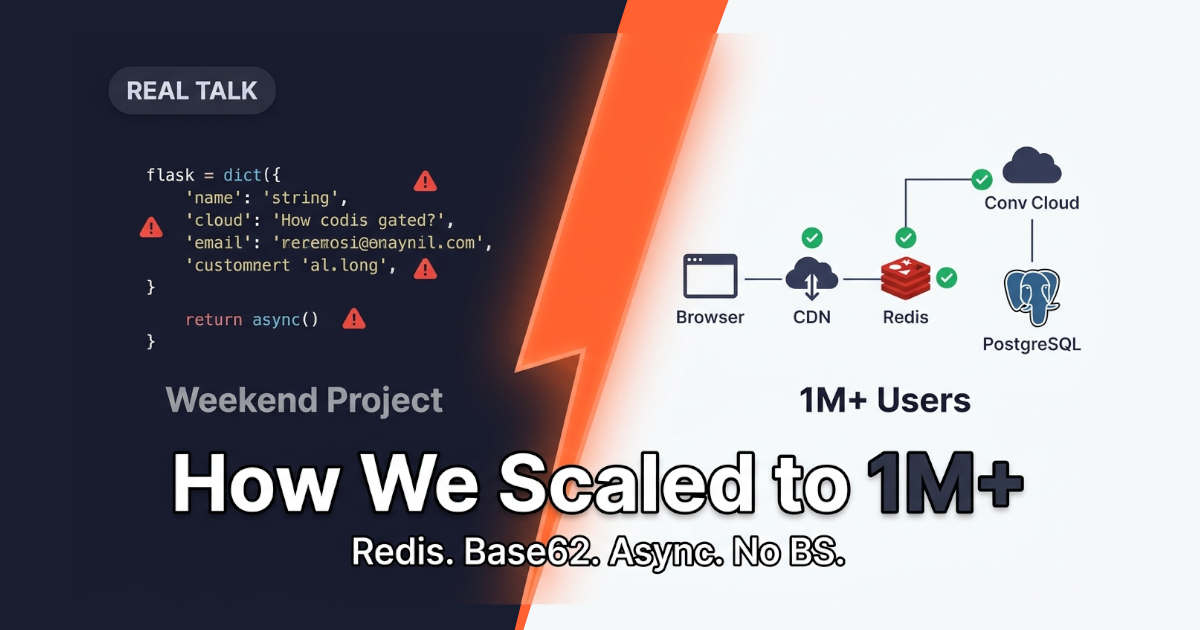
Let me tell you how we took a URL shortener from a side project to something serving over a million users. This is the real story, the wins, the mistakes, and the stuff I wish someone told me earlier. If you're building a link shortener or planning to, this should save you a lot of pain.
What a URL Shortener Actually Does
You know bit.ly and tinyurl? Same idea. You give it a long URL. It gives you back a short one. When someone clicks the short link, they get sent to the long one.
Sounds simple. And at the start, it is simple. But here's the thing, the simple part is easy. The hard part is what happens when a million people are clicking at the same time. That's where things get interesting.
Read article on "10 Next.js Security Mistakes"
Why Scaling a URL Shortener Is Harder Than It Looks
People think "it's just redirects, how hard can it be?"
Yeah, that's what we thought too.
The problem shows up fast once traffic grows:
Reads destroy writes. For every link created, you get thousands of clicks. Your read/write ratio can be 100:1 or worse.
Latency kills the experience. A redirect needs to feel instant. Even 200ms feels slow to a user clicking a link.
Traffic comes in spikes. One viral tweet and your link gets hammered. You can't just plan for average traffic.
Every click needs logging. Analytics, click counts, geo data, all of that adds up fast.
A basic app can handle maybe a few thousand clicks a day on one server. We needed to handle millions per day.
So we rebuilt it.
Redirects vs. Link Creation — The 100:1 Problem
Read article on "Stop Ignoring Cloud Costs"
The Simple Version (Where We Started)
Here's the version most tutorials show you:
python
# basic URL shortener, proof of concept
from flask import Flask, redirect, request
import string, random

app = Flask(__name__)
urls = {}  # dict in memory

def make_code():
    chars = string.ascii_letters + string.digits
    return ''.join(random.choice(chars) for _ in range(7))

@app.route('/shorten', methods=['POST'])
def shorten():
    long_url = request.json['url']
    code = make_code()
    urls[code] = long_url
    return {'short': f'https://short.ly/{code}'}

@app.route('/<code>')
def go(code):
    long_url = urls.get(code)
    if not long_url:
        return 'not found', 404
    return redirect(long_url)
This works. For 100 users, great. For a million? Total disaster.
Why?
Memory dict disappears when the server restarts
Only works on one server
Random codes can collide
No analytics
No caching layer
No protection from abuse
We kept the idea. Threw out the code.
Read article on "Design a MongoDB Schema"
Step 1: Pick a Better Way to Generate Short Codes
Random strings sound fine until you hit a collision. Then your app breaks or your code gets slower and slower.
We switched to Base62 encoding on an auto-incrementing ID.
The idea:
You get an ID from the database (like
12345)You convert that number to Base62 (
a-z,A-Z,0-9)That becomes your short code
python
import string

BASE62 = string.ascii_letters + string.digits

def encode(num):
    if num == 0:
        return BASE62[0]
    out = []
    while num > 0:
        out.append(BASE62[num % 62])
        num //= 62
    return ''.join(reversed(out))

print(encode(12345))  # something like 'D7x'
Why this is better:
Random codes | Base62 from ID |
|---|---|
Collisions possible | Zero collisions |
Need to check DB first | No lookup needed |
Codes same length | Grows over time |
The downside is that codes are guessable. Someone can crawl your links. For public links that's fine. For anything private, use random codes with a uniqueness check. We used Base62 for public links only.
Read article on "Real Future of Robotics"
Step 2: Move from Memory to a Real Database
We went with PostgreSQL. Any solid SQL or NoSQL DB works. The key is what you store.
Our table was minimal:
sql
CREATE TABLE links (
    id BIGSERIAL PRIMARY KEY,
    code VARCHAR(10) UNIQUE NOT NULL,
    long_url TEXT NOT NULL,
    created_at TIMESTAMP DEFAULT NOW(),
    user_id BIGINT,
    click_count BIGINT DEFAULT 0
);

CREATE UNIQUE INDEX idx_code ON links(code);
Two rules we learned the hard way:
Rule 1: Index the code column. Redirect lookup is the most common query. If it's not indexed, you're doing a full table scan on every click. That's death at scale.
Rule 2: Don't store analytics in this table. Click counts, geo, referrer, put that somewhere else. Your hot path should be as light as possible.
Read article on "Choose Between FastAPI and Express.js"
Step 3: Put Redis in Front of the Database
This was the single biggest win for us.
Every redirect hits the same query: SELECT long_url FROM links WHERE code = ?
That's the hottest read in the system. Without a cache, every click goes to Postgres. Postgres cries.
So we added Redis:
python
import redis
import json

r = redis.Redis(host='localhost', port=6379)

def get_long_url(code):
    # try cache first
    cached = r.get(f'link:{code}')
    if cached:
        return cached.decode()

    # cache miss, hit database
    row = db.query('SELECT long_url FROM links WHERE code = %s', code)
    if not row:
        return None

    # store in cache for next time
    r.setex(f'link:{code}', 3600, row['long_url'])
    return row['long_url']
Cache hit rate for us ended up around 95%+. Most links that get clicked are the popular ones. Once they're cached, Postgres barely gets touched.
We used setex with a 1 hour TTL. That's enough to catch traffic spikes without holding stale data forever.
One gotcha: make sure your cache invalidation story is sane. If you allow link edits or deletions, you need to bust the cache entry. We had a bug for two days where deleted links still worked because Redis didn't know. Not fun.
Read article on "Boost Developer Energy"
Step 4: Log Clicks Without Killing Performance
Click analytics are where a lot of people get stuck. If you write to the DB on every click, you slow down your redirects and hammer your database.
Two patterns that work:
Option A: Fire and forget. Push the click to a queue and process it later.
python
# on every redirect
r.rpush('clicks', json.dumps({
    'code': code,
    'ts': time.time(),
    'ip': request.remote_addr,
    'ua': request.headers.get('User-Agent')
}))
Then a background worker pops from the queue and writes to the analytics store in batches.
Option B: Async in-process. Fire off a background task (with Celery, RQ, or whatever you use) and move on.
We used Option A with Redis lists. The worker batches 1000 clicks at a time and writes them to a separate analytics table (or ClickHouse if you want to get fancy).
The redirect handler should do exactly one thing fast: return the redirect. Everything else is async.
Step 5: Add a CDN and Edge Caching
Here's a trick that surprised us: you can cache redirects at the edge.
If a link is public and doesn't change often, why does every request need to hit your server?
You can:
Return a
301(permanent) or302(temporary) redirect withCache-Control: public, max-age=3600Let a CDN (Cloudflare, Fastly, CloudFront) serve the redirect from the edge
python
@app.route('/<code>')
def go(code):
    long_url = get_long_url(code)
    if not long_url:
        return 'not found', 404

    resp = redirect(long_url, code=301)
    resp.headers['Cache-Control'] = 'public, max-age=3600'
    return resp
The catch: if you're tracking clicks, edge caching means you lose some click data. That's the trade-off. For links where analytics matter most, use 302 and skip caching. For dumb redirects, let the CDN take the load.
We split it, default to CDN-cached, and had a per-link flag for "track every click."
Step 6: Handle Traffic Spikes Gracefully
The first time we went viral, we weren't ready. The second time, we were.
Things that helped:
Rate limiting. Use a token bucket per IP. Redis works fine for this. If someone tries 10,000 requests a second, drop them.
Connection pooling. Every DB/Redis connection is expensive. Use pools, not new connections per request.
Graceful degradation. If analytics is down, don't fail redirects. Log the error and move on. The user wants the redirect, not your metrics.
Horizontal scaling. This was easiest part, 8 small instances behind a load balancer handled more than 2 big ones, and they failed better.
python
# crude but effective rate limit
def check_rate(ip):
    key = f'rl:{ip}'
    count = r.incr(key)
    if count == 1:
        r.expire(key, 60)
    return count <= 100  # 100 per minute
For a real system use a proper library, but the idea is the same. Protect yourself from abuse. Someone will always try to scrape or DoS you.
Step 7: Keep the Database Healthy
We didn't do this at first, and it hurt later.
Things you'll need eventually:
Indexes you forgot. Check your slow query log. If a query takes 500ms in prod, you've got a missing index.
Table partitioning. Analytics table grows fast. Partition by month.
Read replicas. Once reads dominate, add read replicas. Redirect lookups can go to replicas.
Backups. Don't joke around with this. Test your restore process. We didn't, and we regretted it.
One thing we didn't need: sharding. For 1M+ users and a few hundred million redirects a month, a well-indexed single Postgres instance plus replicas was plenty. Don't over-engineer. Add sharding when you actually need it, not before.
What Actually Broke (And What We Learned)
Real talk. Here's what went wrong for us:
The deleted-link cache bug. Took us two days to figure out. Always invalidate cache on writes.
A missing index on the analytics table. Queries dropped from 40ms to 4ms after adding one index. Should have caught that earlier.
A dependency that called out synchronously. Our link creation endpoint called an external service to check safety. When that service got slow, link creation got slow. Always use timeouts and circuit breakers.
No retry logic on Redis. Redis went down briefly once and it took the whole app with it. Added a fallback to Postgres with reduced speed. Not ideal, but better than down.
No monitoring on the hot path. We had monitoring on everything except the redirect endpoint. Took us a while to figure out we had a cache stampede issue. Monitor what matters.
Pros and Cons of This Setup
Pros:
Handles millions of clicks on modest hardware
Cheap compared to cloud-managed link services
Full control over data and analytics
Simple to reason about, cache, DB, redirect
Cons:
You're on the hook for uptime
Requires some infra knowledge to run well
Analytics at scale still isn't trivial (we ended up using ClickHouse later)
No fancy features out of the box
If you just need to shorten links for a small team, this is overkill. Use a managed service. You can always build later if it stops fitting.
When This Approach Makes Sense
Use this pattern if:
You need control over your data
You're building a product around link sharing
You expect traffic spikes you can't predict
You want your own analytics
Skip it if:
You just need a handful of short links
You don't want to run infra
You're okay with a monthly bill from a service
Both are valid. Don't build a rocket to cross the street.
FAQ
How many users can a single Redis instance handle?
Depends on the ops per second, but a small Redis instance handles hundreds of thousands of reads per second easily. We ran one primary with a replica and never came close to its limits at 1M+ users.
Do I really need Redis?
No, but your database will work much harder without it. If you're small, skip it. Add it when your DB starts sweating.
Can I use MySQL instead of Postgres?
Yes. Nothing in this article is Postgres-specific. The index on code is the important part.
How long should short codes be?
Seven characters with Base62 gives you 62^7, that's about 3.5 trillion combinations. Plenty of runway.
What about custom short codes?
Add a nullable custom_code column with a unique index. Check it before falling back to the auto-generated code. Same pattern, small extra step.
How do I handle redirect loops or malicious URLs?
Don't allow shortening URLs that point to your own domain. And validate URLs (must be http/https, resolve to something reasonable). We also added a blocklist for known bad domains.
Final Thoughts
Scaling a URL shortener to 1M+ users isn't about one clever trick. It's a bunch of small decisions that add up:
Base62 codes instead of random strings
Redis cache in front of the DB
Async analytics instead of synchronous writes
Rate limiting to protect the hot path
CDN caching where it makes sense
Start simple. Add pieces as you actually need them. Don't shard before you have to. Don't over-engineer. But do instrument everything and monitor the redirect endpoint , that's your heartbeat.
If you're building one of these right now, start with step 1 and step 2. Get the basics solid. Then add caching when Postgres starts complaining. That's exactly how we did it, and it worked.
Good luck. Send me a link when it's live.