Imagine running a website for years without a major security problem. You keep your app updated, check your code, and follow the usual security rules.
Then you find out the problem isn't in your app at all. It's inside PHP itself.
That's what happened with PHP2Shell.
On October 21, 2026, the PHP project released security updates for two critical vulnerabilities. Under the right conditions, attackers could use them to run their own code on a vulnerable server. They could also read sensitive data from PHP's memory.
And here's the scary part: these bugs had been hiding in PHP for years.
Security researchers found them with help from advanced AI models. What once needed a lot of manual work became much easier to investigate and exploit.
PHP powers around 70% of websites whose server-side language is known. So this wasn't a problem for just a few PHP developers.
Let's look at what happened, how the bugs worked, and what you should do if your website runs PHP.
What Is PHP2Shell?
PHP2Shell is the name used for a group of serious PHP vulnerabilities found by Wiz Research.
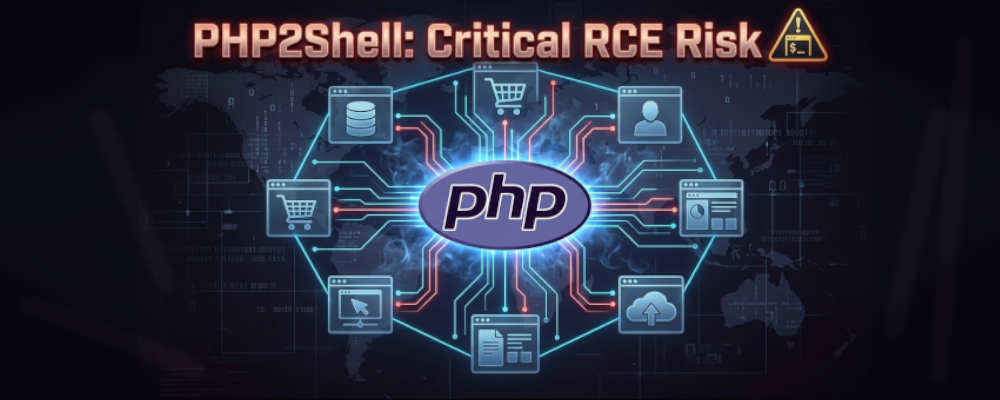
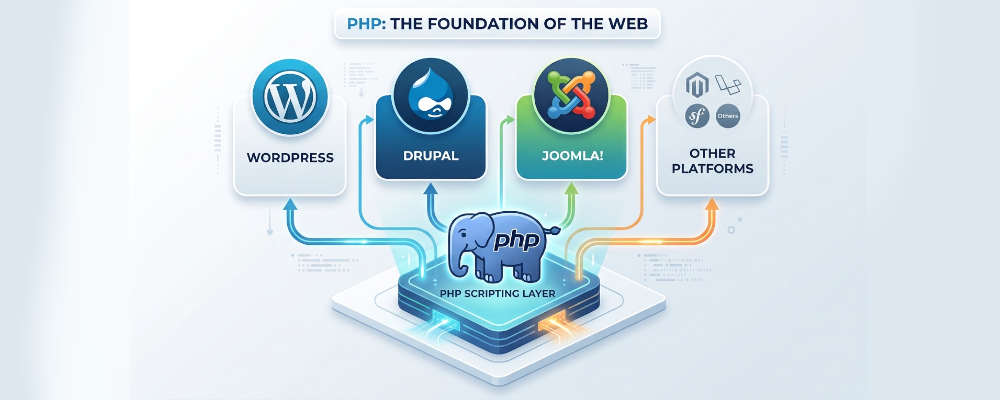
The flaws live inside PHP's core engine. That means the problem isn't limited to WordPress, Drupal, Joomla, or one particular website framework.
If a vulnerable PHP version runs your application, your server may be at risk even if your own code looks fine.
Researchers demonstrated remote code execution, or RCE, on WordPress, Drupal, and Joomla. They also showed that an attacker could read sensitive data from PHP worker memory without first gaining full code execution.
The reported issues were grouped under two CVEs:
Vulnerability | What it means |
|---|---|
CVE-2026-109618 | A memory corruption issue linked to out-of-memory errors |
CVE-2026-109619 | Problems with stale memory and internal PHP state |
Both received a reported severity score of 9.2 out of 10.
The bugs affect different parts of PHP's internal memory handling. Researchers also found related variants that followed similar patterns.
So, despite the catchy title, this wasn't literally one simple bug. It was a set of related issues grouped under two CVEs.
Why Does This Affect So Many Websites?
PHP is everywhere.
It's used by WordPress, Drupal, Joomla, and many other tools that run websites. Wikipedia's MediaWiki software also uses PHP.
Many businesses rely on PHP without thinking much about the language itself. They focus on their themes, plugins, databases, APIs, and application code.
That's normal. But PHP is part of the foundation those things run on.
If a flaw exists in that foundation, fixing your application code may not be enough.
Think of it like this: your app is a house, and PHP is part of the foundation. You can lock every door in the house, but a serious problem in the foundation still needs attention.
Wiz reported that affected PHP releases go back to version 5.4. That doesn't mean every PHP website is automatically exploitable. The actual risk depends on the PHP version, configuration, and other conditions.
Still, the number of potentially affected systems is huge.
Read article on "How to Reduce Docker Image Size with Multi-Stage Builds"
How Did These PHP Bugs Work?
You don't need to be a PHP core developer to understand the main idea.
PHP handles requests using memory. It creates internal data, uses it while processing a request, and cleans it up when the request ends.
Things can go wrong when a request fails unexpectedly.
For example, PHP may run out of memory while handling a request. It may stop processing the request, but some internal state might not be cleaned up properly.
A later request can then run into that leftover state.
That can cause PHP to use memory that has already been freed or to treat data as something it isn't.
Researchers used several related flaws to build working attacks.
Here are the main ideas.
1. PHP Could Keep Using Freed Memory
When PHP no longer needs a piece of memory, it should stop using it.
But one of the bugs could leave an internal pointer pointing to memory that had already been freed.
If PHP later used that pointer, it might read or change data that now belonged to something else.
This is called a use-after-free bug.
In simple terms, PHP was still trying to use something that it had already thrown away.
2. An Out-of-Memory Error Could Leave Things in a Bad State
PHP has a memory limit to stop a request from using too much memory.
That limit is useful. But the researchers found cases where hitting it at the wrong time could leave internal data only partly set up.
A later operation could then treat that broken data as valid.
This could lead to memory corruption and help an attacker build a remote code execution exploit.
3. PHP Could Leak Data From Its Own Memory
The researchers also found a way to make PHP expose parts of a worker's memory.
That memory could contain sensitive information, such as passwords, API keys, or authentication tokens.
The risk wasn't limited to data from the attacker's own request. Memory from other work handled by the same process could also be exposed.
4. OPcache Had a Related Problem
OPcache helps PHP run faster by storing compiled code so it doesn't need to compile everything again.
One of the reported issues involved how PHP tracked internal objects in shared OPcache memory.
Under certain conditions, different workers could end up using a memory slot as if it held the wrong type of object.
That mismatch could corrupt internal state and help form another attack path.
These bugs were difficult to exploit on their own. The researchers combined multiple weaknesses and tested how PHP behaved under different conditions.
Read article on "Build a Simple Rate Limiter"
What Can an Attacker Do With PHP2Shell?
The biggest concern is remote code execution.
RCE means an attacker can make a vulnerable server run code they choose. If the attack works, the damage can be serious.
Depending on the server and its permissions, an attacker may be able to:
Read sensitive files.
Steal passwords, API keys, or authentication tokens.
Change website content.
Install malicious code.
Use the compromised server to attack other systems.
Access data the server account is allowed to read.
The researchers demonstrated unauthenticated RCE against WordPress, Drupal, and Joomla deployments.
“Unauthenticated” means the attacker doesn't need to log in first.
That makes the issue especially serious for public-facing servers. But it doesn't mean every server running an affected version can be exploited in exactly the same way.
The researchers also showed memory disclosure without needing full RCE. Even when an attacker can't take complete control, leaked secrets can still cause major problems.
And because these flaws exist in PHP itself, a website doesn't need to use one of those three platforms to be at risk.
Read article on "Keep Node.js Responsive During Heavy Calculations"
How Did AI Help Find These Bugs?
This is one of the most interesting parts of the story.
The flaws had existed in PHP for years. But finding a bug and turning it into a working exploit are two different things.
Memory bugs can be very hard to understand. The result may depend on how memory is allocated, which request runs first, what happens after an error, and how a particular server is configured.
Researchers often need to test many possibilities, inspect crashes, change their approach, and repeat the process.
Wiz Research used its Wiz Atlas system, Gemini 4 Argon, and GPT-5.6 Sol during the investigation. The team reported that AI played a major role in finding the flaws and developing working exploits.
AI helped with the kind of detailed investigation that can take a lot of time. It made it easier to explore possible causes, test ideas, and work through complex memory behavior.
But let's be clear: AI didn't magically find one button that takes over every PHP server.
The researchers still needed technical knowledge, testing, debugging, and a way to confirm that the attacks worked. They also had to report the findings and work with the PHP team on a fix.
The bigger lesson is that AI can lower the amount of time and effort needed to investigate hard-to-exploit bugs.
That's useful for defenders. It's also a reason to take security updates seriously.
If AI makes it easier to find old weaknesses, attackers may be able to investigate them faster too.
Read article on "Cloudflare Python Workers"
When Were the Bugs Found and Fixed?
Here's the timeline reported by Wiz Research and the PHP Foundation.
Date | What happened |
|---|---|
August 19, 2026 | Wiz Research found the first vulnerability with AI-assisted tools. |
August 20, 2026 | The team confirmed unauthenticated RCE against Drupal. |
August 21, 2026 | The team confirmed unauthenticated RCE against WordPress. |
August 24, 2026 | Wiz reported the vulnerabilities to the PHP security team. |
September 21, 2026 | PHP acknowledged the reports and started work on a coordinated fix. |
October 21, 2026 | PHP released patched versions and the findings became public. |
The timeline matters because finding a vulnerability is only the first step.
The maintainers need time to understand the problem, build a fix, test it, and prepare releases. Hosting companies and security vendors may also need time to update their systems or prepare protections for customers.
At the same time, waiting too long can leave users exposed.
That balance is one of the hardest parts of handling a serious security bug.
Read article on "Before Adding a Vector Database"
Which PHP Versions Fix PHP2Shell?
The PHP project released these security updates on October 21, 2026:
PHP branch | Fixed version |
|---|---|
PHP 8.5 | 8.5.12 |
PHP 8.4 | 8.4.27 |
PHP 8.3 | 8.3.36 |
PHP 8.2 | 8.2.35 |
If your website uses PHP, check your current version and upgrade to a fixed release that fits your supported branch.
Don't assume you're safe just because your website is working normally. A vulnerable server may not show any obvious signs of a problem.
Also, don't assume updating WordPress, Drupal, or Joomla alone will fix the PHP engine. You need to make sure the PHP runtime itself has been updated.
If you're using managed hosting, check with your provider to find out which PHP version is running and whether the fix has been applied.
How to Protect Your Website
If you manage a PHP website, don't wait for a warning or an error message.
Start here.
1. Check Your PHP Version
Run this command in the environment where your application runs:
php -vThis shows the PHP version available through that command. Keep in mind that the command-line version may differ from the version used by your web server or PHP-FPM.
If you're using a hosting dashboard, check the PHP version selected for your site there too.
2. Upgrade to a Fixed Release
Move to a patched PHP version supported by your application and hosting environment.
For the reported fixes, the release versions are:
PHP 8.5.12
PHP 8.4.27
PHP 8.3.36
PHP 8.2.35
If you're running an older or unsupported PHP branch, don't assume that choosing one of these versions is a direct upgrade path. Check the official PHP security guidance and your application's compatibility first.
Test the update in a staging environment when possible. Then deploy it to production as soon as you can.
3. Confirm the Web Server Uses the Updated Version
Updating PHP on your command line doesn't always update the PHP version serving your website.
Your setup may use Apache with mod_php, PHP-FPM, containers, or a managed hosting service.
Check the actual runtime used by the application. If you use containers, make sure the deployed image contains a fixed PHP release and that the running container has been replaced.
4. Ask Your Hosting Provider If Needed
If you can't update PHP yourself, contact your hosting provider.
Ask these questions:
Which PHP version is running my website?
Has the PHP2Shell security update been applied?
Is my website still running an affected PHP release?
Do I need to restart a service or redeploy a container?
Get a clear answer. Don't rely on a general message saying that the server is “secure.”
5. Look for Signs of Possible Exploitation
A patch is the main fix, but it is also worth checking whether your server may already have been attacked.
The research points to several signals that defenders can investigate:
Unusual multipart HTTP requests.
Memory-limit errors followed by repeated HTTP 500 responses.
Unexpectedly large or malformed
PHPSESSIDresponse cookies.PHP worker processes restarting or behaving unusually.
None of these signals proves that PHP2Shell was used. They are clues to investigate, especially when they appear together.
Check your web server, PHP, and security logs. If you find suspicious activity, follow your incident response process and get help from a security professional if needed.
What If You Can't Patch Right Away?
Sometimes you can't upgrade immediately. Maybe your application depends on an older PHP release, or your hosting provider controls the runtime.
In that case, contact your provider and ask what protection is available while you prepare the upgrade.
Security vendors and infrastructure providers may offer detection rules, runtime protections, or other temporary mitigations.
But don't treat these as a permanent fix.
The underlying PHP vulnerability remains until you're running a fixed release. A workaround may reduce risk, but it may not cover every way the bug can be triggered.
If you run a business-critical application, make a clear plan with an owner and deadline. Include testing, backups, deployment, and a way to confirm the new version is active.
The Bigger Problem: Who Maintains the Software We Depend On?
PHP2Shell also raised questions about how open-source security work gets done.
The PHP Foundation said the incident exposed problems with its security process and limited resources. The team has to maintain a language used across a huge part of the web, but that work takes time, expertise, and funding.
The Foundation put it plainly:
“We won't pretend otherwise: the delay was a structural failure, caused by both the security team's decision process and its lack of resources.”
That's an important point.
Open-source software is used by companies of every size. But the people maintaining it may not have the same resources as the companies that depend on it.
Security reports need to be reviewed. Fixes need to be tested across supported versions. Releases need to be prepared. And someone has to keep doing that work after the headlines move on.
Companies that rely on open-source software should think about how they can support its maintenance, not just how they can use it for free.
That support can include funding, engineering time, testing, and helping maintainers respond to security issues.
The Disclosure Debate: Should the Fix Have Been Released Earlier?
The release also sparked debate about how security fixes should be shared.
During coordinated disclosure, maintainers may give selected vendors advance notice. That gives hosting providers, distributors, and security teams time to prepare updates and protections before the details become public.
But there is a trade-off.
If too many people receive sensitive information, the risk of a leak grows. And while some organizations prepare, other users may still be running vulnerable systems.
In this case, the PHP Foundation said Chainguard published images containing the fix more than six hours before the planned public release. The Foundation argued that this broke the coordinated disclosure process and gave attackers a chance to study the patch before many users could update.
The debate shows two real concerns.
One side: Early access can help providers protect their customers before details become public.
The other side: Keeping a fix under wraps means some users remain exposed while a smaller group knows about the problem.
There's no simple answer that works for every incident. The process needs clear rules, good communication, and enough time for people to prepare. It also needs a plan for what happens if a patch leaks or the risk changes.
For website owners, though, the practical lesson is simple: once a fix is available, don't put off applying it.
OpenAI's Proposal: Patch the Planet
OpenAI also described a broader approach to handling serious software vulnerabilities. It calls the effort Patch the Planet.
The idea is to make it easier for maintainers, security researchers, hosting providers, and organizations to work together when a major flaw affects widely used software.
The proposed approach includes several steps:
Find the problem. Use research and testing to identify serious weaknesses.
Help maintainers fix it. Provide engineering support, tools, and resources where needed.
Give defenders time to prepare. Share the right information with organizations that can help protect users.
Coordinate updates. Work with software distributors, hosting providers, and security teams.
Help people patch and verify. Publish clear guidance so operators can find the right update and confirm that it is running.
The goal isn't just to fix one bug. It's to make the response to major vulnerabilities faster and more useful.
OpenAI also pointed to the need for stronger isolation. If software is compromised, a well-restricted environment can help limit what an attacker can do next.
That matters because patches take time. Better isolation can reduce the damage from bugs that haven't been found yet or can't be fixed immediately.
Still, proposals like this need careful oversight. Advance access, emergency actions, and automated security measures can create their own risks if they aren't handled responsibly.
What PHP Developers Should Learn From This
PHP2Shell isn't a reason to panic or abandon PHP overnight.
Every widely used language and platform can have security bugs. What matters is how quickly those bugs are found, fixed, and handled by the people running the software.
But there are some lessons worth taking seriously.
Keep the runtime updated. Your application's code isn't the only thing that needs security updates.
Know your production environment. Check the PHP version actually serving requests, not just the one on your laptop.
Don't ignore old systems. Unsupported versions can make security work much harder. Plan upgrades before they become emergencies.
Use isolation where possible. Limit the damage a compromised process can cause.
Watch for unusual behavior. Logs and runtime monitoring can help you spot signs that need investigation.
Support the tools you depend on. Open-source maintainers need resources to keep important software safe.
Take AI-assisted security seriously. AI can help defenders find flaws, but it can also make complex vulnerabilities easier to investigate and exploit.
And remember: a clean security scan doesn't prove that your system is safe from every vulnerability.
The best approach is to keep software patched, limit permissions, monitor important systems, and have a plan for responding when something goes wrong.
Frequently Asked Questions
What is PHP2Shell?
PHP2Shell is the name used for a set of critical PHP vulnerabilities that could allow unauthenticated remote code execution and memory disclosure on affected systems.
Does PHP2Shell affect WordPress?
Researchers demonstrated attacks against WordPress, Drupal, and Joomla. But the flaws exist in PHP itself, so other applications running affected PHP versions may also be at risk.
Is every PHP website vulnerable?
No. The reported issues affect a wide range of PHP versions, but actual exposure depends on the version, configuration, and other conditions. Check your environment and apply the official fix.
Which PHP versions fix the vulnerabilities?
The PHP releases announced on October 21, 2026, include 8.5.12, 8.4.27, 8.3.36, and 8.2.35. Check the official PHP security announcement for the correct upgrade path for your setup.
Can updating WordPress fix PHP2Shell?
Updating WordPress alone doesn't necessarily update PHP. You need to make sure the PHP runtime serving your website is running a fixed release.
Did AI discover the PHP vulnerabilities?
Wiz Research reported using Wiz Atlas, Gemini 4 Argon, and GPT-5.6 Sol during the research. The team said AI played a major role in finding the flaws and turning them into working exploits.
What should I do if I can't update PHP myself?
Contact your hosting provider. Ask which PHP version your site uses, whether the security fix is installed, and what temporary protections are available if an immediate upgrade isn't possible.
Final Thoughts
PHP2Shell is a reminder that security problems don't always live in your own code.
Sometimes the risk is in the language, runtime, or other software your app depends on. And if that software runs a huge part of the web, one flaw can affect a lot of people.
The other big lesson is about AI. It can help security researchers find bugs that have been hiding for years. But it can also reduce the work needed to turn those bugs into real attacks.
For PHP developers and website owners, the next step is clear: check your PHP version, install the right security update, and make sure the patched version is actually running in production.
Don't wait until your website starts acting strangely.
Run PHP? Check your version and patch it. Then share this article with someone who manages a PHP website.